Integrate Microsoft OneDrive
Monitor OneDrive for Business for exposed secrets in user files and shared documents.
Why Monitor Microsoft OneDrive?
OneDrive for Business serves as personal cloud storage where employees frequently save scripts, configuration files, and project documents containing sensitive credentials. Unlike centralized repositories, OneDrive files often escape security oversight, allowing hardcoded API keys, database passwords, and service account tokens to remain hidden in personal storage, creating significant security blind spots.
Capabilities
| Feature | Support | Details |
|---|---|---|
| Historical Scanning | ✅ (Supported) | Analyze existing files and their histories |
| Incremental Scanning | ✅ (Supported) | Regular scheduled scanning for new content |
| Monitored Perimeter | ✅ (Supported) | Granular monitoring of users and drives |
| Team Perimeter | ✅ (Supported) | Team-based access control |
| Presence Check | ❌ (Not Supported) | Not applicable for personal files |
| Source Visibility | ❌ (Not Supported) | All drives show as private |
| File Scanning | ✅ (Supported) | Comprehensive file support |
What we scan:
- Personal and shared file storage
- Office documents, PDF files, text documents, etc...
Plan requirements: Available for GitGuardian Enterprise plan. Try it for free with a 30-day trial - any detected incidents remain accessible after the trial ends.
Detector coverage: To minimize false positives, Generic High Entropy Secret and Generic Password are disabled. All other detectors are enabled.
Related integrations: OneDrive is tied to SharePoint Online - any content in OneDrive is hosted on a SharePoint tenant. Consider also integrating Microsoft SharePoint Online to scan organizational sites and drives.
Integration with GitGuardian SaaS
Prerequisites:
- Owner or Manager account on your GitGuardian Dashboard
- Microsoft 365 Administrator or SharePoint Administrator permissions in your tenant
GitGuardian securely connects to your Microsoft 365 environment using a Microsoft Entra ID Enterprise application with read-only access to your OneDrive content.
-
Prepare your environment
- Ensure you have an administrator account on your Microsoft 365 organization, with the necessary permissions to install Microsoft Entra ID Enterprise applications.
-
Install the integration
- Navigate to Sources integration
- Find Microsoft OneDrive in the File Storage section. You may use the search bar to quickly find the integration.
- Click Install

-
Authorize GitGuardian
- Click Install on the integration page
- Select your Microsoft 365 administrator account when prompted
- Review and accept the requested permissions
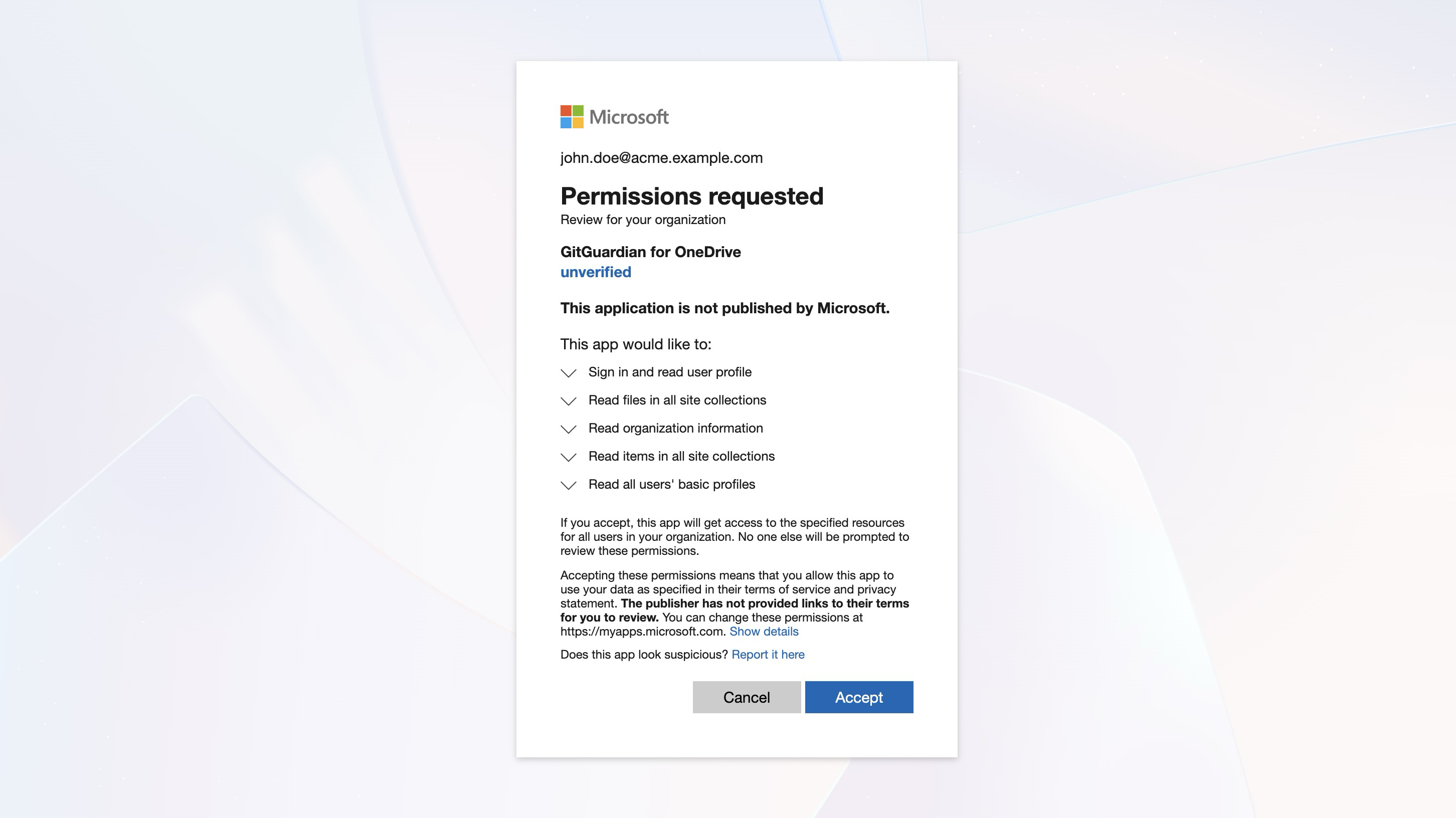
That's it! GitGuardian immediately begins scanning your sites pages and files history and starts monitoring for new secrets.
Integrate with GitGuardian self-hosted
Infrastructure requirements
We recommend using :
- dedicated workers for Sharepoint Online / OneDrive integration,
- and an Apache Tika cluster (as part of GitGuardian's charts) to be able to scan non-text files (.docx, .xlsx, .pdf, etc.).
For more detailed information on scaling and configuration, please visit our scaling page.
Create the Azure Entra ID Application for GitGuardian
If you are using a self-hosted GitGuardian instance, you must first configure a dedicated Azure Entra ID Application.
You must be logged as a Microsoft Entra ID administrator to complete this process
-
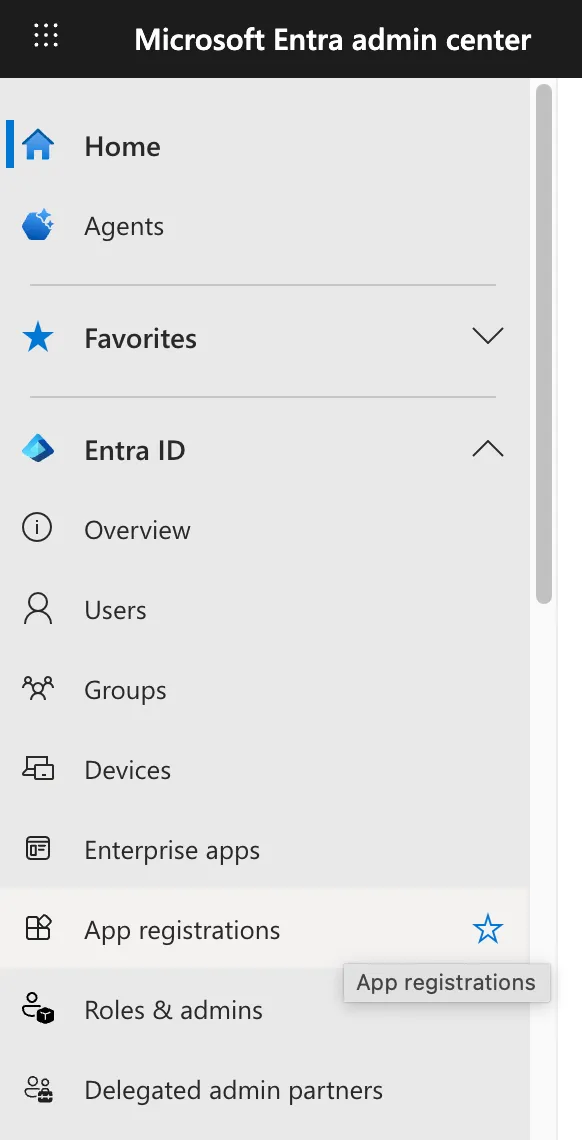
In your Microsoft Azure Tenant, browse to your Entra ID applications and create a new application, and click the "Create your own application" button
-
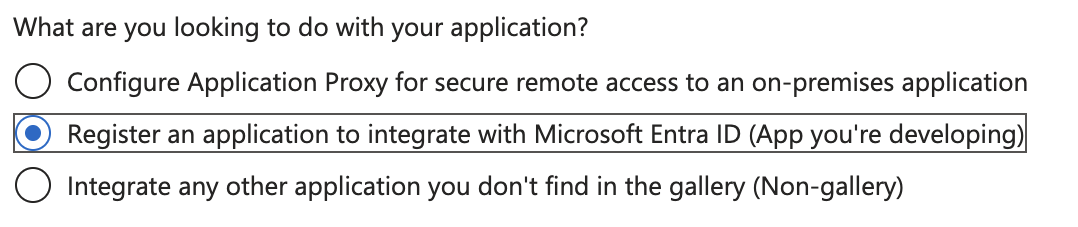
Choose a name for your application and register it to integrate with Microsoft Entra ID
-
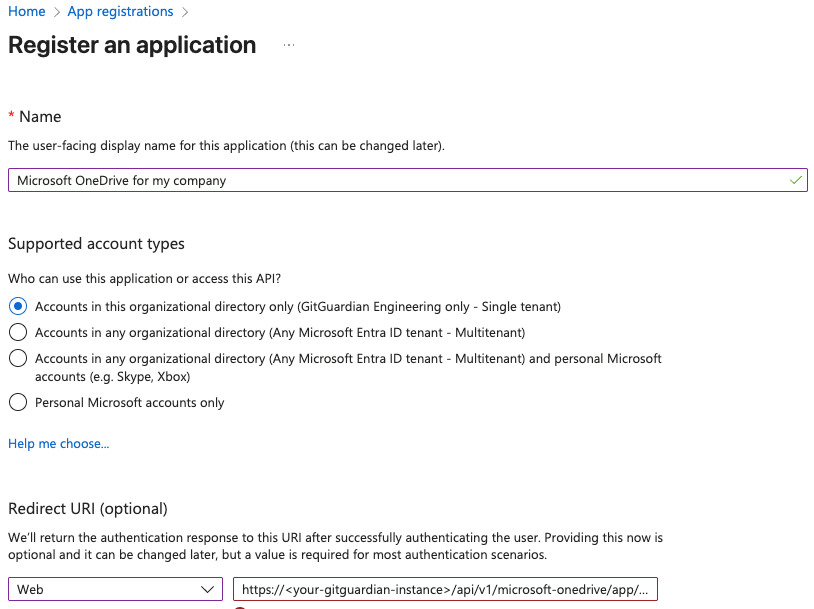
Set a Redirect URI matching your GitGuardian Self-Hosted Instance:
https://<your instance url>/api/v1/microsoft-onedrive/app/install_callback/
- Set permissions for your application
Browse to Manage / API Permissions to set the needed permissions. Choose Application permissions if you are asked :
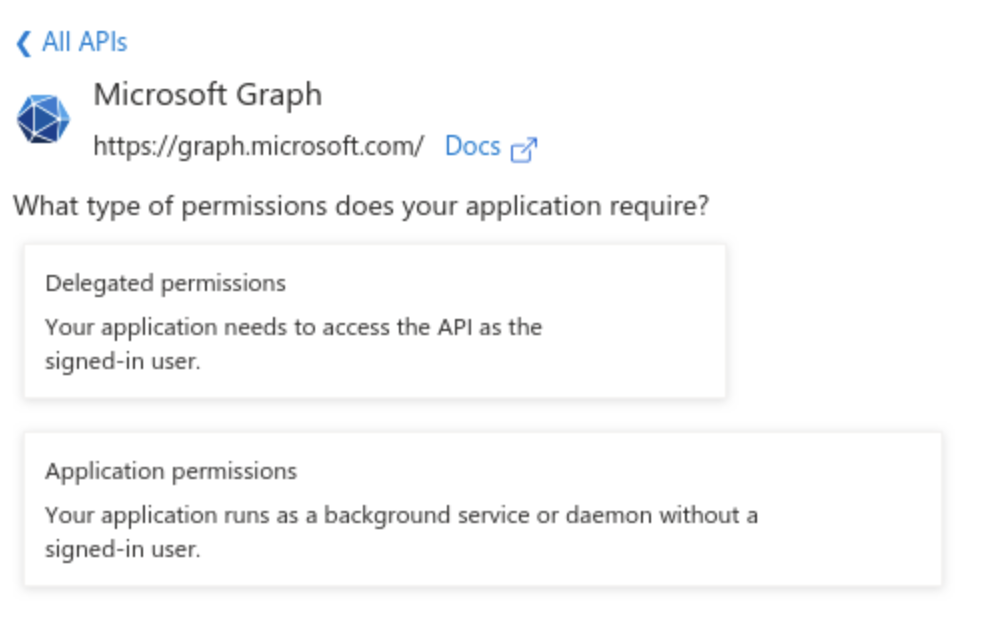
Your application must be allowed the following Graph API permissions:
Delegated permissions:
- User.Read
Application permissions:
- Files.Read.All
- Sites.Read.All
- Organization.Read.All
- User.ReadBasic.All
You must also "Grant admin consent" for all these permissions.

- Generate a Secret for your application
Browse to Manage / Certificates & secrets to create a Client Secret, create a secret and copy it while it is displayed.
Store the Application (Client) ID and the Client Secret in a secure location like a vault or a secret manager
Reference your newly created application in GitGuardian Self-Hosted
-
Navigate to the Microsoft OneDrive integration page
-
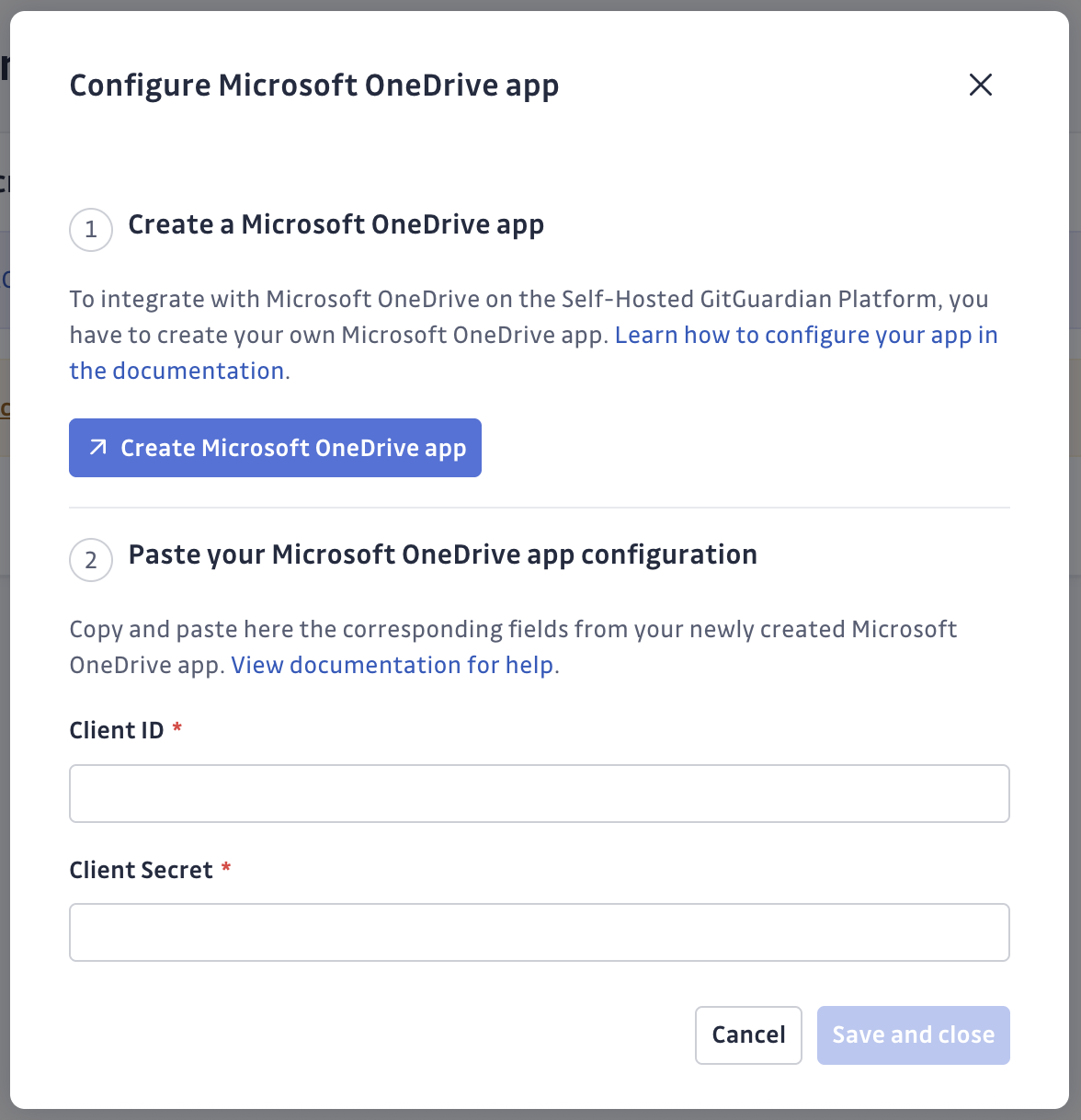
Click Configure Microsoft OneDrive app
-
Set the Application ID and Secret you just created in Microsoft Azure Entra Id
Perform the OAuth2 installation flow
-
Install the integration
- Navigate to Sources integration
- Find Microsoft SharePoint in the File Storage section. You may use the search bar to quickly find the integration.
- Click Install
-
Authorize GitGuardian
- Click Install on the integration page
- Select your Microsoft 365 administrator account when prompted
- Review and accept the requested permissions
That's it! GitGuardian immediately begins scanning your files and starts monitoring for new secrets.
Customizing your monitored perimeter
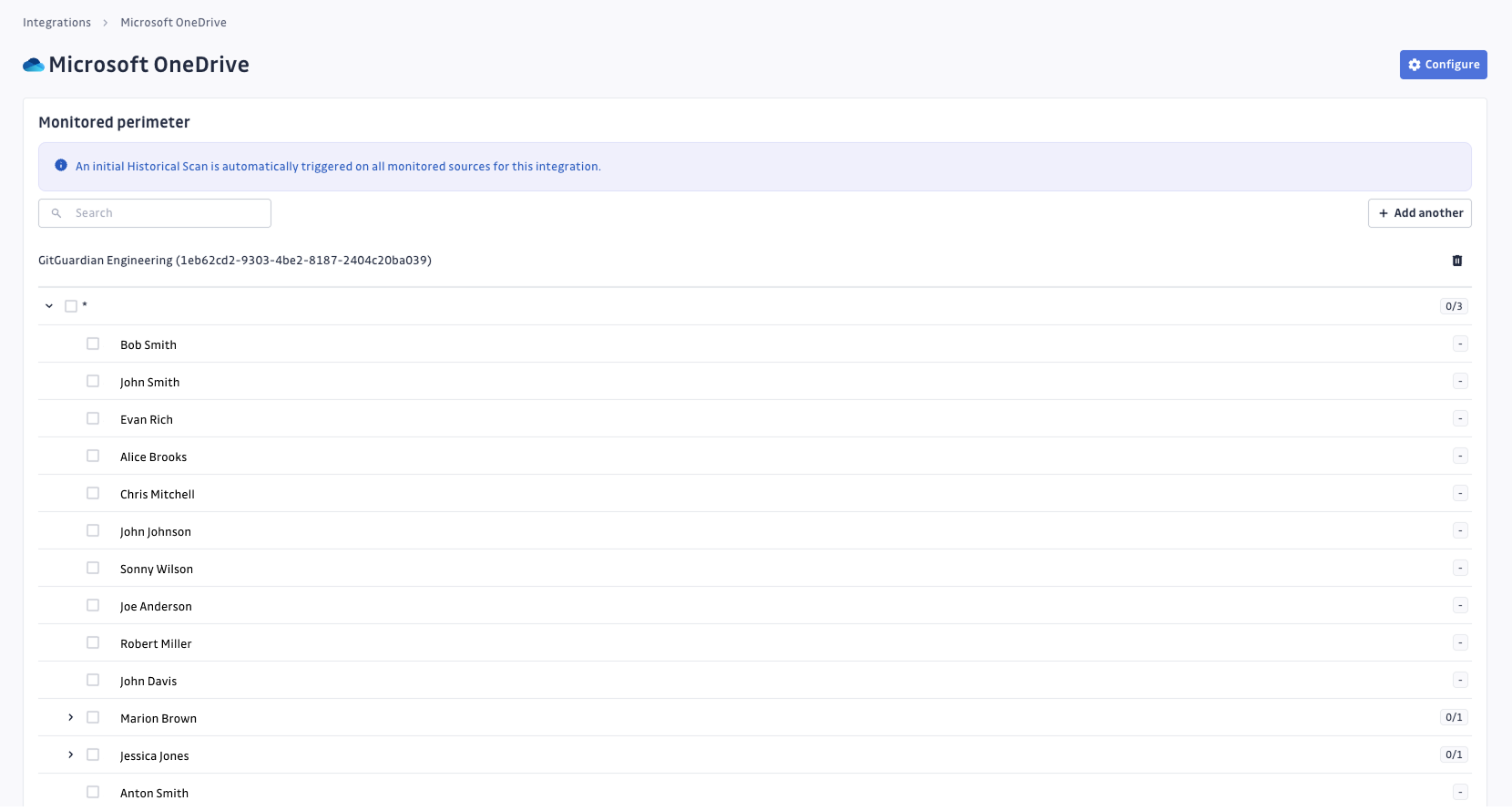
Microsoft OneDrive integration offers flexible perimeter control: choose which specific accounts content to monitor, giving you precise control over your scanning scope.
To customize your perimeter:
- Navigate to your integration settings
- Use the checkboxes to enable or disable monitoring for specific accounts.
- Click on Save to apply your changes.
- Changes take effect immediately for new scans.
Understanding scanning capabilities
Historical scanning
Uncover your secret debt: When you first integrate Microsoft OneDrive, GitGuardian performs a comprehensive scan of your entire file history, based on the customized perimeter. This reveals secrets that may have been exposed weeks, months, or even years ago - helping you address your existing security debt.
How to trigger a historical scan: Go to your perimeter page, select the Microsoft OneDrive sources you want to scan, and click Scan in the bulk actions bar. See Manage your monitored perimeter for plan-based size limits, error handling, and full details.
Real-time scanning
Catch new exposures: Once integrated, GitGuardian continuously monitors your Microsoft OneDrive files. Any new or modified files containing secrets are detected promptly, allowing you to respond quickly to new exposures.
Comprehensive file support
GitGuardian integration supports a wide range of file types:
- Text and code files:
- Source code (.py, .js, .java, .cpp, .cs, .rb, .go, .php, etc.)
- Configuration files (.yaml, .json, .xml, .ini, .conf, .properties, etc.)
- Documentation (.txt, .md, .rst, .log, etc.)
- Office documents:
- Microsoft Office (.docx, .xlsx, .pptx, .doc, .xls, .ppt)
- OpenOffice/LibreOffice (.odt, .ods, .odp)
- Rich text formats (.rtf)
- Others (.epub)
- Archive and compressed files (experimental):
- Archive formats (.zip, .7z, .rar, .tar, .gz, .tgz or .tar.gz, .bz2, .tbz2 or .tar.bz2, .xz, .txz or .tar.xz, .ar, .cpio, .pack)
- Container images (through .tar extensions)
- Other document formats:
- PDF documents (.pdf)
- Email formats (.eml, .msg)
- Web files (.html, .css)
File size considerations: Large files are skipped to maintain optimal performance. Size thresholds are as follows:
- 100 MB for any text file type.
- 500 MB for PDFs.
- 1 GB for any other file type listed.
Managing your integration
Monitor integration health
Track your scanning progress and integration status from the integration dashboard.
Integration maintenance
If you need to modify your integration settings or troubleshoot connectivity issues, access the management interface through Sources integration.
Uninstalling the integration
While our goal is to help you maintain comprehensive security coverage, you may uninstall the integration whenever necessary:
- Navigate to Sources integration
- Click Edit next to Microsoft OneDrive
- Click Configure
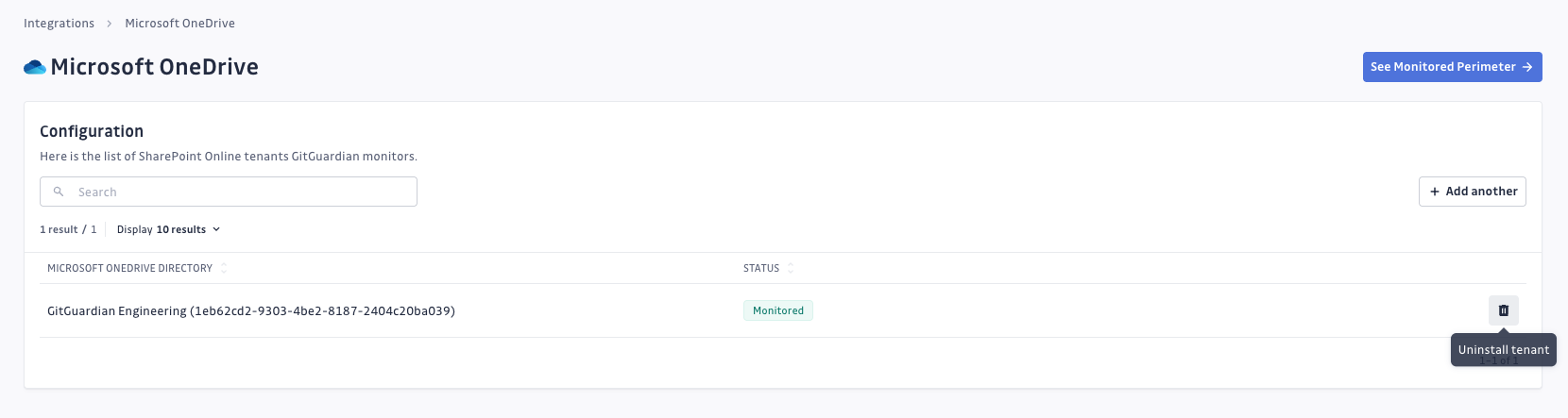
- Click the delete icon next to your tenant
- Confirm the removal
Note: Removing the integration preserves your incident history but stops future scanning. To completely remove the GitGuardian app from Azure, delete it from your Entra ID registered applications.
Current considerations
While Microsoft OneDrive integration offers comprehensive coverage, here are some current considerations:
- Team access: Users must be in the 'All-incidents' team to view OneDrive incidents (enhanced team management coming in future updates).
- Source visibility: All sources appear as private in the UI.
- Incident context: Secret matches are shown in incident details, with full file context previews.
- Archive path: While archives scanning are supported, the complete path of the file in the archive will not be provided in the incident detail. Only the archive name (capability coming in future updates).
Privacy and compliance
Data handling
GitGuardian processes your data solely to detect exposed secrets:
- Read-only access: We never require write access unless scoped to creating webhooks to receive and process real-time events
- Minimal data retention: We store only data and metadata necessary for incident management
- Encryption: All data in transit and at rest is encrypted
- Compliance: We follow the same data protection standards as our other integrations
Regional considerations
GitGuardian hosts its services in two AWS regions: eu-central-1 (Frankfurt) and us-west-2 (Oregon). Ensure your GitGuardian deployment region aligns with your data residency requirements. Contact support if you need guidance on compliance with local regulations.
User notification
Country-specific laws and regulations may require you to inform your Microsoft 365 users that your OneDrive users' files are being scanned for secrets. Here is a suggestion for a message you may want to use:
As part of our internal information security process, the company scans the OneDrive files for potential secrets leaks using GitGuardian. All data collected will be processed for the purpose of detecting potential leaks. To find out more about how we manage your personal data and to exercise your rights, please refer to our employee/partner privacy notice. Please note that only sites and files relating to the company's activity and business may be monitored and that users shall refrain from sharing personal or sensitive data not relevant to the site's or file's purpose.

