Discord
To set up your Discord integration, provide a Discord Webhook URL in the Discord integration section.
How to integrate
-
Open the Discord app and go to the channel settings (click the gear icon in the upper left corner).
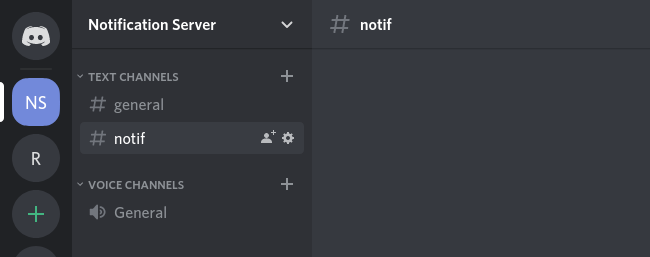
-
In the Integrations tab, create a New Webhook.
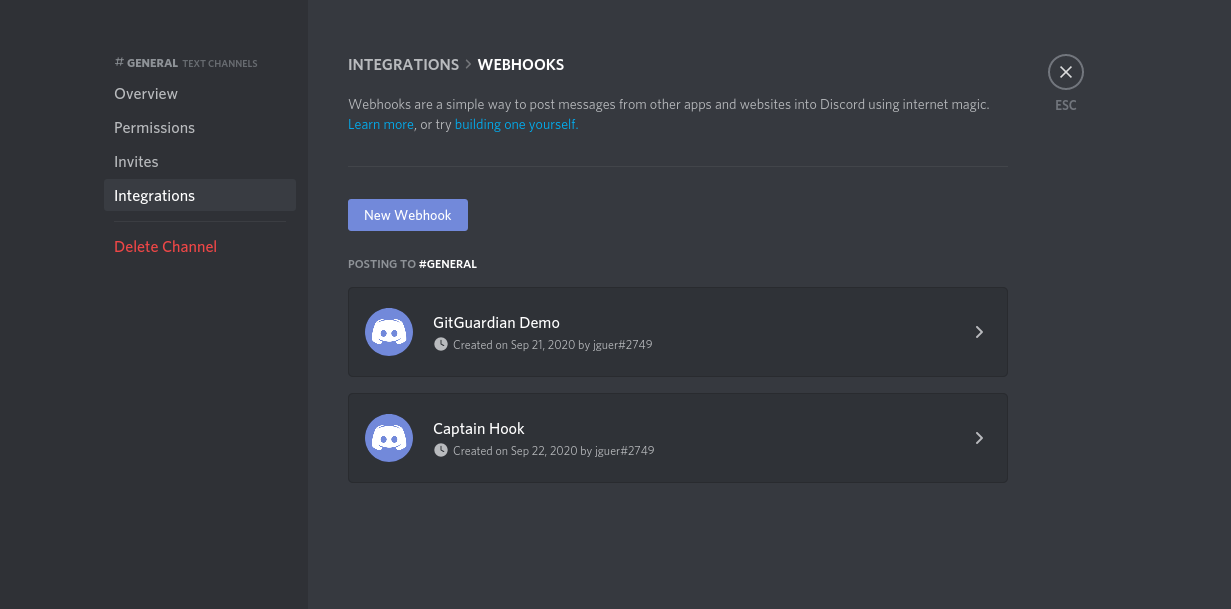
-
Click Copy Webhook URL.
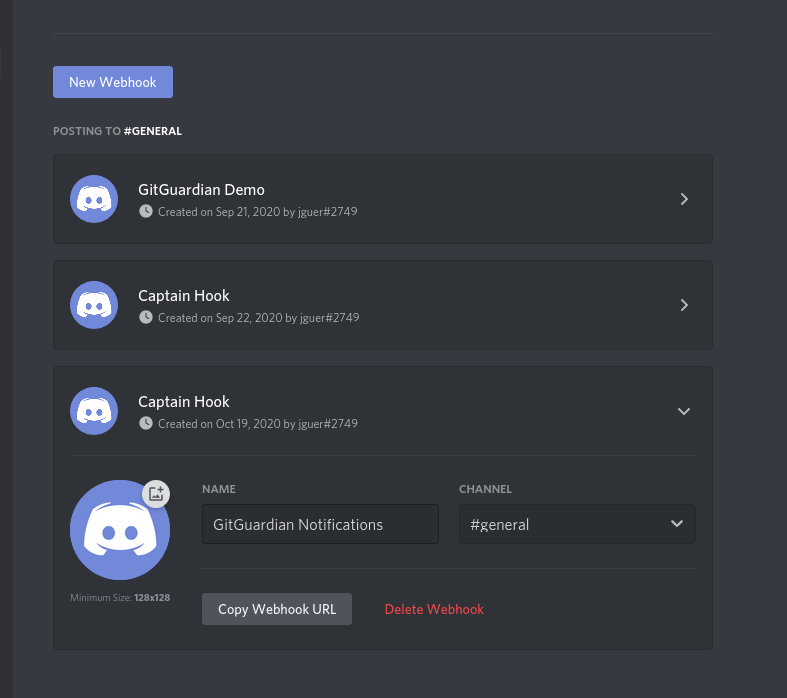
-
Paste the webhook URL into the Discord integration section of your dashboard settings.
Manage your Discord notifier
Your Discord notifiers are listed in the Discord integration section, grouped by team. Expand a team to reveal its notifiers, then use the actions available on each row:
- Send test message: posts a sample alert to the Discord channel, so you can confirm the webhook works before relying on it.
- Update webhook: change the webhook URL or the events you subscribe to.
- Delete webhook: stop sending alerts to that channel. This does not remove the webhook from Discord, delete it from the channel's Integrations tab if you no longer need it.
Only workspace Managers can create, test, update, or delete a Discord notifier.

