Slack
This notifier can send messages to a Slack channel for incident lifecycle events (from Internal and/or Public Monitoring) and honeytoken alerts.
You can connect Slack in two modes:
- Incident thread (Recommended): installs the GitGuardian Slack app on your workspace via OAuth. Every event about an incident is grouped into a single thread, so your channel doesn't get flooded and the full history of an incident stays in one place. ⚠️ Not available yet, coming soon.
- Webhook: quick to set up. Each event is posted as a new, separate message.
Set up with Incident thread mode
-
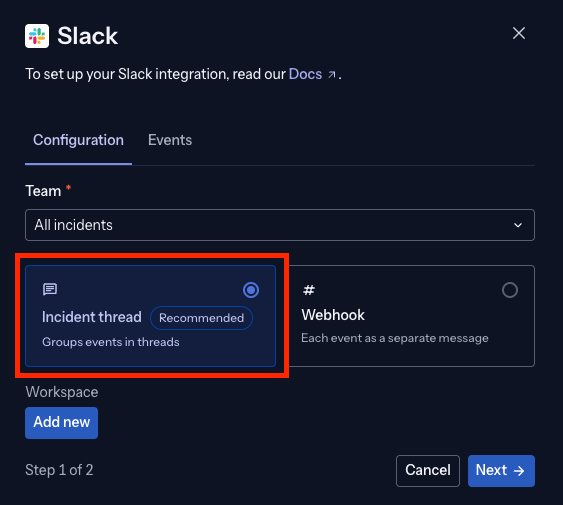
Open the Slack notifier configuration, select your Team, then choose Incident thread instead of Webhook.
-
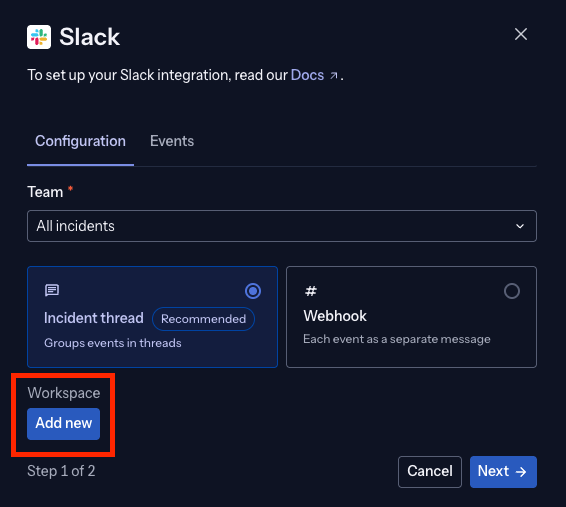
Under Workspace, select Add new to connect a Slack workspace. If a workspace is already connected, skip to step 4.
-
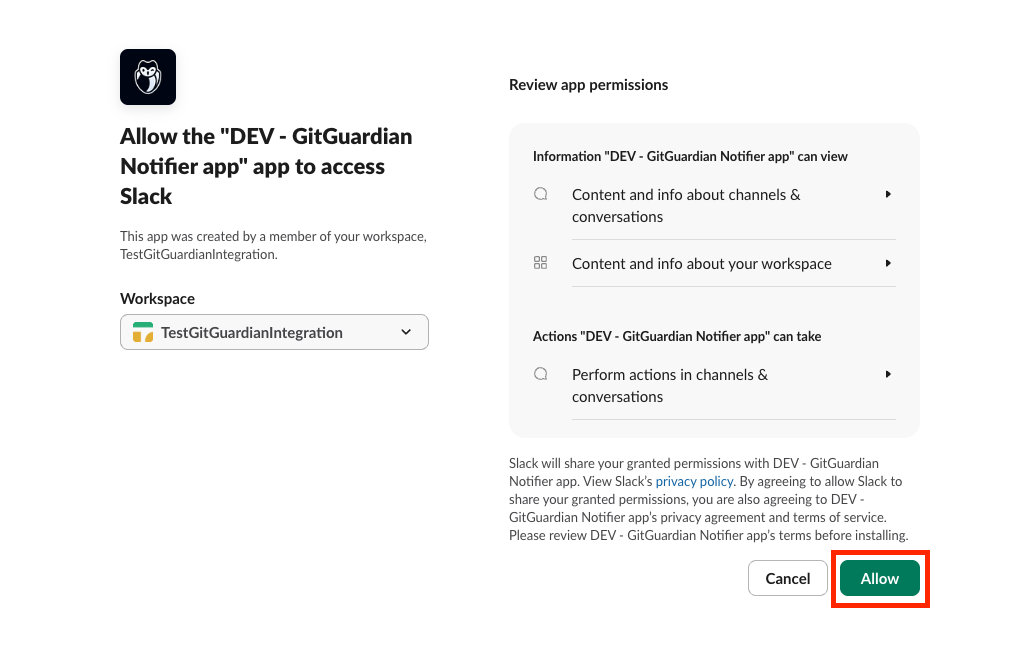
You're redirected to Slack to install the GitGuardian Notifier app. Review the requested permissions, viewing your channels and workspace info, and posting messages in the channels you choose, then select Allow.
-
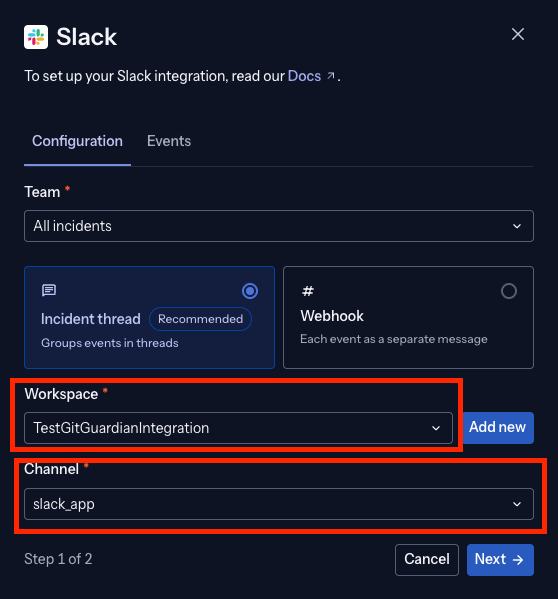
Back in GitGuardian, select the Workspace you just connected and the Channel where you want alerts posted, then select Next.
-
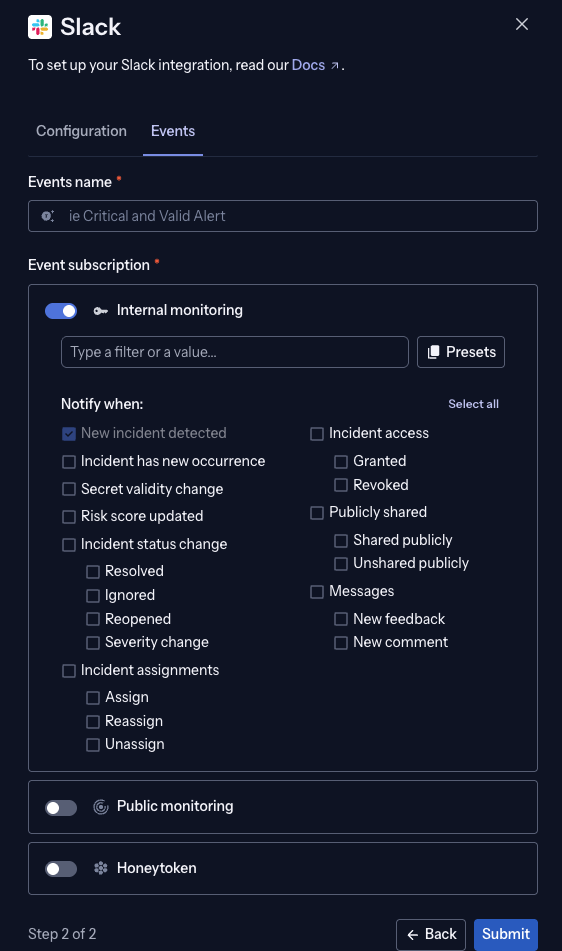
On the Events tab, name the notifier and select which Internal monitoring, Public monitoring, and Honeytoken events to subscribe to, then select Submit.
-
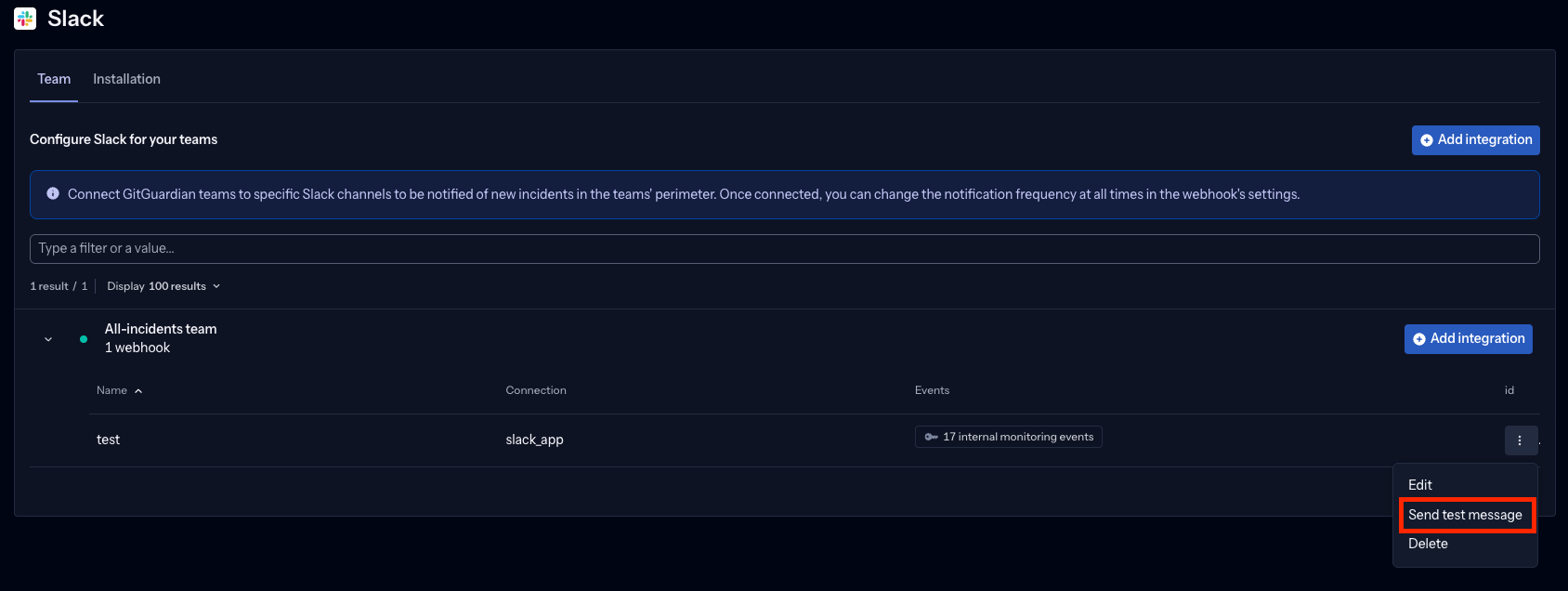
Once the notifier is saved, open its row menu (⋮) and select Send test message to confirm the app can post to the channel before relying on it.
Uninstalling the GitGuardian app from your Slack workspace (from Slack's own app settings) also breaks the integration on GitGuardian's side. Your notifier configuration flags the workspace as disconnected, repeat the connection steps above to reconnect it.
Set up with Webhook mode
-
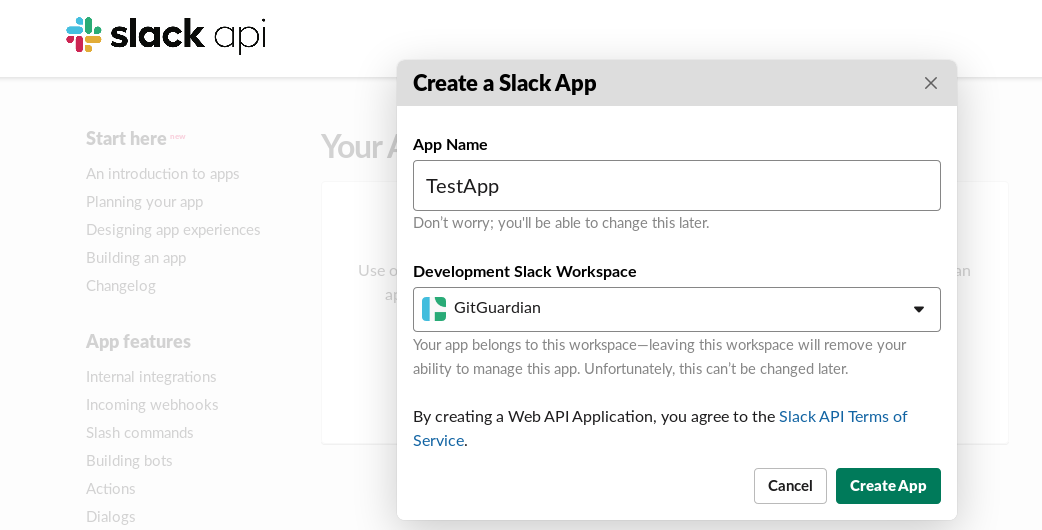
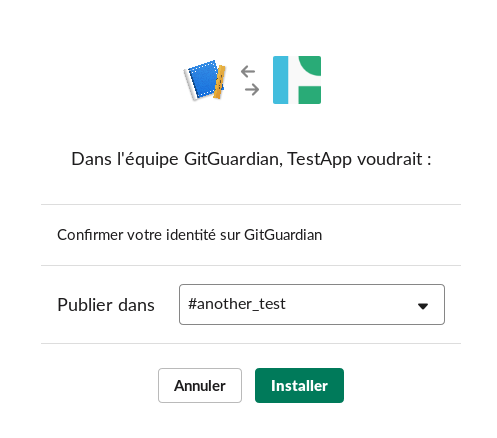
Visit Slack API: Create an App.
-
Create a new application for GitGuardian.
-
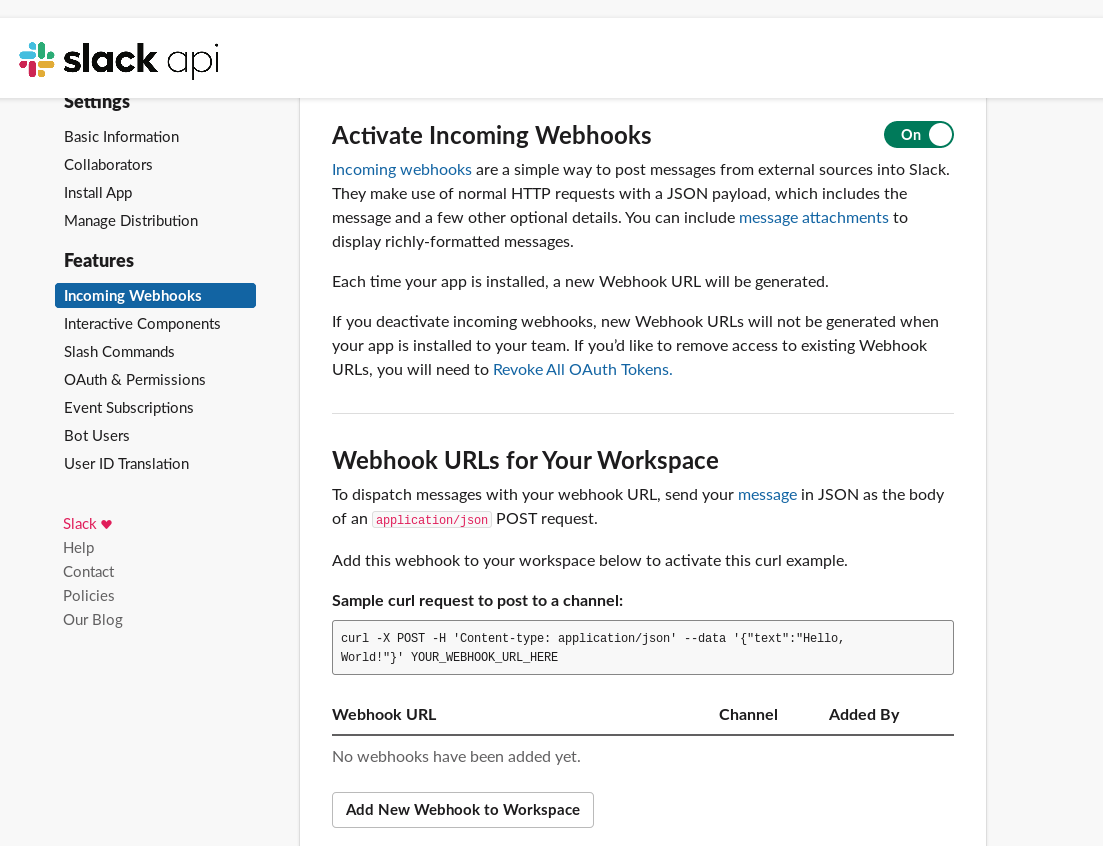
Enable the Incoming Webhooks feature.
-
Generate a new webhook.
-
Copy the generated webhook URL.

-
Paste the webhook URL in the Slack integration section of your GitGuardian dashboard settings.
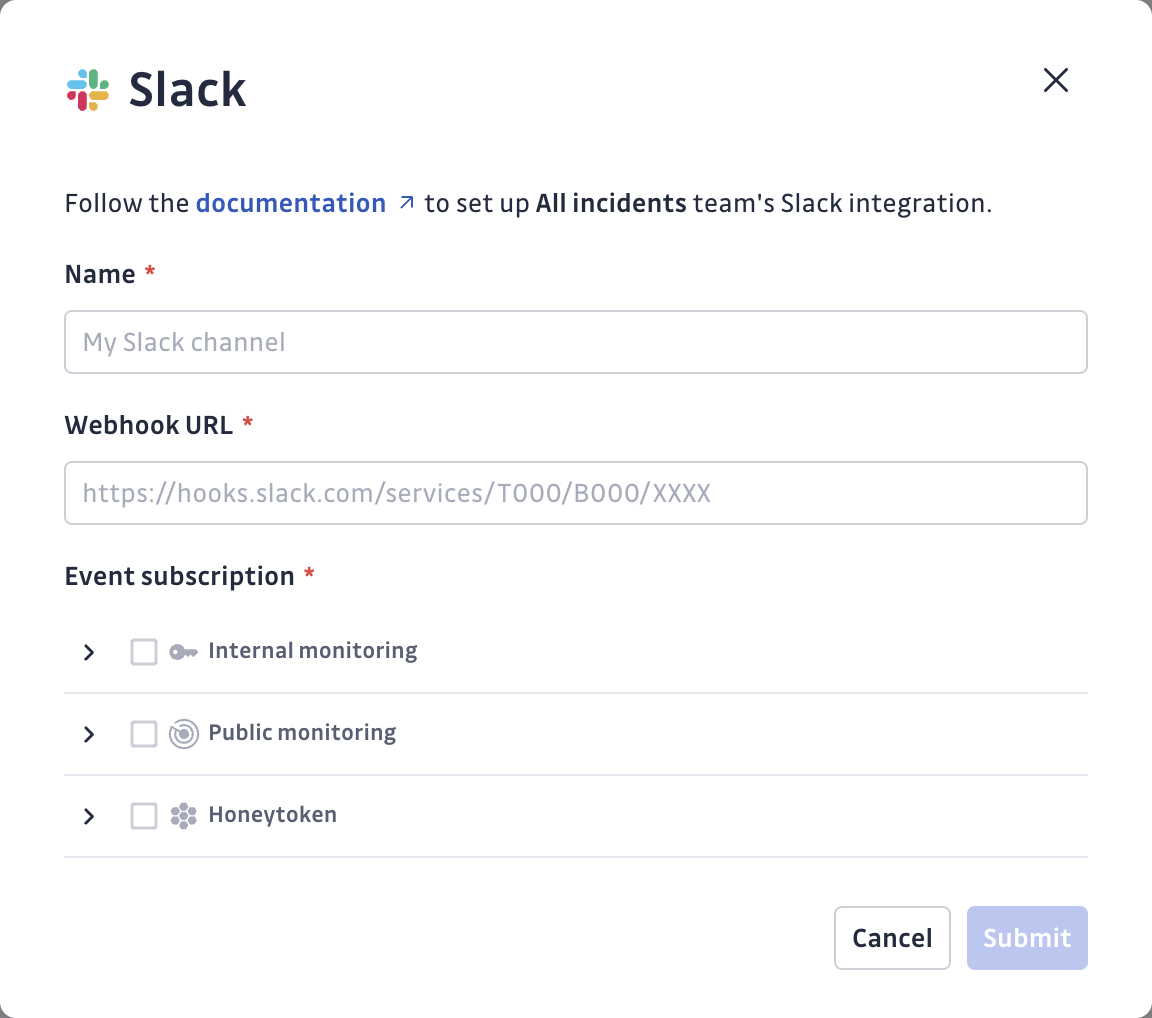
Team-level configuration:
- Free workspace: You can only configure alerting on the 'All-incidents team'.
- Growth or Enterprise workspace: You can configure the integration on any team:
- Create it within the 'All-incidents team' to receive notifications for all workspace incidents.
- Create it within a specific team to receive notifications only for that team's incidents.
This can be done directly from the integration page or from the team page.
-
Select the events you would like to subscribe to and receive.
Events
You can subscribe to the following events from GitGuardian Internal Monitoring and/or GitGuardian Public Monitoring (if your workspace and team have access to Public Monitoring):
| Name | Description |
|---|---|
| New incident detected | A new incident has been detected. |
| New occurrence detected | A new occurrence has been detected for this incident. |
| Incident Validity changed | The validity has been updated for this incident. |
| Incident status change | Triggered when the status of an incident is updated. |
| Incident resolved | This incident has been resolved. |
| Incident ignored | This incident has been ignored. |
| Incident reopened | This incident has been reopened. |
| Incident regression | A new occurrence has been detected by real-time scanning of a connected source for an incident previously marked as resolved (manually or by the auto-resolver). |
| Incident Severity changed | The severity has been updated for this incident. |
| Risk score updated (Growth and Enterprise plans) | The risk score has been updated for this incident. Not sent for public incidents on workspaces where the agents analysis is enabled. |
| Incident assignments | Triggered when an incident is assigned, reassigned, or unassigned. |
| Incident assigned | This incident has been assigned to a user. |
| Incident reassigned | This incident has been reassigned to a different user. |
| Incident unassigned | A user was unassigned from this incident. |
| Incident access | Triggered when a user's access to an incident changes. |
| Incident access granted | A user has been granted access to this incident. |
| Incident access revoked | Access to this incident has been revoked for a user. |
| Publicly shared | Triggered when the public sharing link of an incident changes. |
| Incident shared publicly | A user has generated a public sharing link for this incident. |
| Incident unshared publicly | A user has deactivated the public sharing link for this incident. |
| Messages | Triggered when a new message is added to an incident. |
| Feedback submitted | A feedback has been submitted for this incident. |
| New comment on an incident | A new note has been created for this incident. |
Filter notifications by incident criteria
You can define filtering rules so this notifier only sends notifications for incidents that match the criteria you choose — by severity, ML risk score, validity, secret type, or GitGuardian tags, on both internal and public monitoring incidents. The risk score is the exception: it is not available on public incidents if the agents analysis is enabled for the workspace. If you don't set any rule, every incident is notified (the default).
See Filter notifications by incident criteria for the full list of criteria and important notes on notification timing.

