Control team access to any Internal Monitoring source type
 Release Date: April 13, 2026
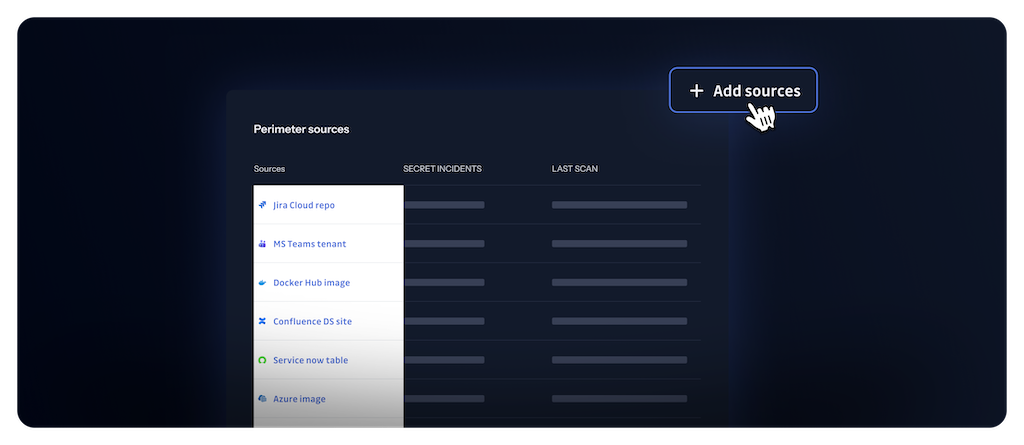
Team perimeter already scoped internal incident access for version control repositories. It now applies to all non-VCS integrations—container registries, messaging and collaboration (Slack, Microsoft Teams), documentation and file storage (Confluence, SharePoint Online, OneDrive), ticketing (Jira, ServiceNow), package registries—and to Bring Your Own Sources. Members only see incidents for sources that workspace managers add to their team's perimeter.
What does this mean for you?
- Consistent access control: The same team rules apply whether a secret is found in a repository, a container image, a chat, a document, or a custom source.
- Clearer delegation: Managers can assign sources to teams from the same team perimeter configuration flow.
Get started
Workspace Managers can add sources to a team's perimeter from Settings > User management > Teams, then open the team and use Add sources under the perimeter section. See Configure team perimeter and the Sources integration overview for supported integrations.
Fixes
- Public Monitoring: Fixed an issue where some secret grasper matches were not displayed and highlighted in the incident page when they occurred in the full file content rather than in the commit diff.

