3 posts tagged with "honeytoken"

View All Tags

ServiceNow Integration: Event Group Selection, Public Monitoring & Honeytoken Support

calendar icon   Release Date: June 30, 2026

ServiceNow Integration

The ServiceNow issue-tracking integration now covers Public Monitoring and Honeytoken events alongside Internal Monitoring, and brings the Smart Notifier filters to ServiceNow. You choose which incidents flow into ServiceNow and which events appear on their tickets, keeping your ticketing scoped to what matters.

What's new?

Event Group Selection: Choose whether ServiceNow creates tickets for Internal monitoring, Public monitoring, or Honeytoken events.

Public Monitoring Support: Route public monitoring incidents to ServiceNow, so secrets exposed on public sources are tracked in the same workflow as your internal incidents.

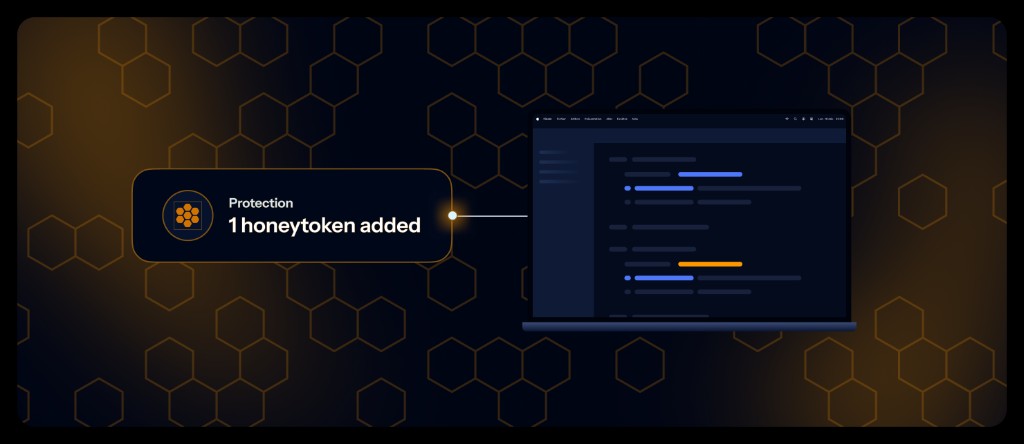
Honeytoken Support: Create ServiceNow tickets for honeytoken events, bringing decoy alerts into your remediation workflow.

Granular Event Subscription: Previously, you could not choose which events reached ServiceNow. The new Notify when section now lets you select them. The New incident detected event (always included) creates the ticket; the other events you select are posted as comments on that same ticket, keeping the full incident history in one place. For Internal and Public Monitoring, use filters and presets - by severity, risk score, validity, secret type, or tag - to refine the selection, or start from scratch.

Why is this important?

Security teams need ticketing scoped to their remediation work. Event group selection and granular subscription route only the incidents you care about into ServiceNow, cutting noise. Public Monitoring and Honeytoken support bring perimeter and decoy alerts into the same workflow as internal incidents.

Get Started Today!

Available for all workspaces. Existing ServiceNow integrations keep their current settings, and new configurations can enable the expanded event coverage.

Learn more about the ServiceNow integration | Configure honeytoken alerts

Enhancements

  • Sources health management — Confluence Cloud, Slack, Gerrit, and Microsoft SharePoint Online: GitGuardian now pauses real-time ingestion and historical scans on unreachable Confluence Cloud, Slack, Gerrit, and Microsoft SharePoint Online sources, auto-resumes them once health is restored, and surfaces an actionable recovery step. Rolling out to more integrations in upcoming releases. See the integration guides for Confluence Cloud, Slack, Gerrit, and Microsoft SharePoint Online.
  • Incident Notifications: Incident notifications in Slack and Microsoft Teams now include the risk score and severity information.
  • AWS Marketplace: Added support for a second AWS Marketplace seller account (GitGuardian Inc., US entity), enabling US customers to transact through the US listing while existing customers continue through the original French listing.
  • Public API: Added a new API endpoint to retrieve the activity log of a secret incident, enabling automation and monitoring workflows. Learn more.

Fixes

  • Security: fixed an issue where a Service Account Token (SAT) could revoke itself through the public API (e.g. via ggshield auth logout), which could disable every deployment sharing that token. A SAT can now only be revoked from the dashboard or by another token holding the api_tokens:write scope; Personal Access Token self-revocation is unchanged. Learn more.
  • Incident assignment: Assigning a secret incident now automatically grants the assignee the access they need. Previously, an assignee without access could receive the notification email but be unable to open the incident.
  • Incident details: Fixed an issue where the incident detail view could display the wrong secret line when privacy mode was enabled, due to position misalignment caused by content obfuscation.
  • Custom tags: Fixed an issue where members were unable to remove the last custom tag from an incident.
  • Custom webhooks: Creating a webhook with an unreachable URL now shows a clear error message instead of failing with a generic server error.
  • Playbooks: Fixed unexpected behavior with the auto-grant developer access playbook where access was not correctly applied in certain configurations.
  • Activity logs: The auto-grant access playbook now records an entry in the related issue's activity log, consistent with other playbooks.
  • JFrog Container Registry: Fixed an issue where only the first ~200 repositories were discovered, leaving the rest unmonitored and sometimes flagged as deleted. All repositories are now discovered.
  • GitLab: Fixed a health check that could incorrectly mark a reachable GitLab instance as unavailable when its endpoint returned a 4xx response.

Enhanced Microsoft Teams Notifications - Public Monitoring, Internal Monitoring & Honeytoken Alerts

calendar icon   Release Date: April 29, 2026

Enhanced Microsoft Teams Notifications

We're excited to announce a major enhancement to our Microsoft Teams integration that brings comprehensive notification coverage for all incident lifecycle events, honeytoken alerts, and public monitoring incidents. This unified notification framework provides complete visibility into your security posture directly in Microsoft Teams.

What's new?

Complete Incident Lifecycle Coverage: Previously, Microsoft Teams notifications only covered new incident detections and regression. Now you can receive notifications for every critical event including resolution, assignment, status changes, comments, access control, and sharing - giving you complete visibility into incident management workflows.

Public Monitoring Support: Public monitoring incidents can be sent directly to Microsoft Teams channels, enabling teams to receive perimeter security alerts alongside internal monitoring alerts.

Honeytoken Alerting: Microsoft Teams notifications now support honeytoken events, providing immediate alerts for honeytoken activity, previously only available via custom webhooks and email.

Flexible Configuration: Enhanced Microsoft Teams configuration allows teams to subscribe to specific event types per channel, providing granular control over notification preferences.

Why is this important?

Security teams need real-time visibility into all security events to respond quickly and effectively. This enhancement addresses key customer feedback about missing notification updates for incident resolution and status changes, while extending Microsoft Teams integration to public monitoring and honeytoken.

Get Started Today!

This enhancement is automatically available for all workspaces. Existing Microsoft Teams integrations will maintain their current notification settings, while new configurations can be set up with expanded event coverage.

Learn more about Microsoft Teams integration configuration | Configure honeytoken alerts

Enhancements

  • Public API: New Health Checks endpoints let you programmatically monitor the health of your integration instances (GitHub, GitLab, Slack, Jira, and more). List the latest health check across all instances, filter by integration type, status, or date, and retrieve the full health check history for a specific instance to power your own dashboards and alerting.
  • Public API: You can now retrieve and filter archived sources.
    • Sources endpoint: now offer the provider_metadata.archived field (currently available for GitHub sources) and a provider_metadata_archived=true filter.
    • Incidents endpoint: now offer an only_on_provider_archived_sources=true filter to focus on incidents from archived sources and run bulk actions on the returned list.

Enhanced Slack Notifications - Public Monitoring, Internal Monitoring & Honeytoken Alerts

calendar icon   Release Date: October 25, 2025

Enhanced Slack Notifications

We're excited to announce a major enhancement to our Slack integration that brings comprehensive notification coverage for all incident lifecycle events, honeytoken alerts, and public monitoring incidents. This unified notification framework provides complete visibility into your security posture directly in Slack.

What's new?

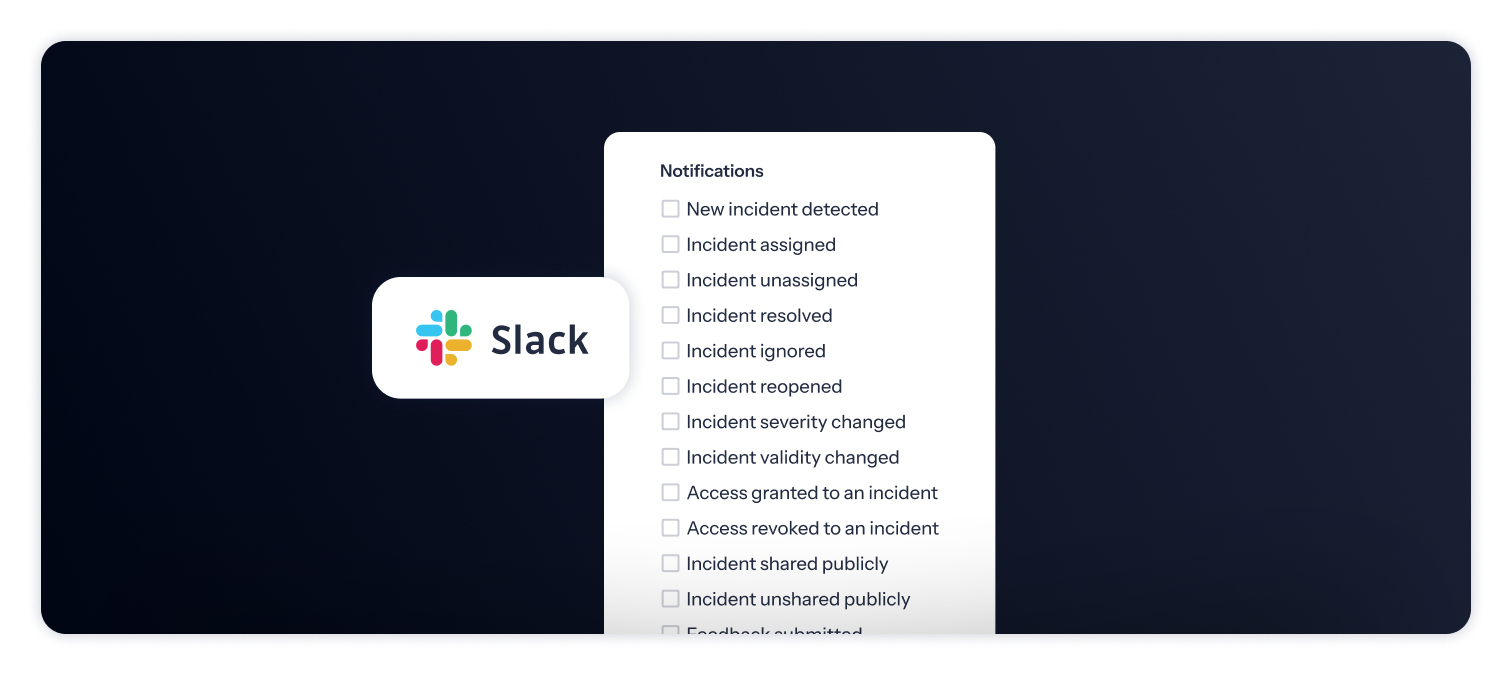
Complete Incident Lifecycle Coverage: Previously, Slack notifications only covered new incident detections and regression. Now you can receive notifications for every critical event including resolution, assignment, status changes, comments, access control, and sharing - giving you complete visibility into incident management workflows.

Public Monitoring Support: Public monitoring incidents can be sent directly to Slack channels, enabling teams to receive perimeter security alerts alongside internal monitoring alerts.

Honeytoken Alerting: Slack notifications now support honeytoken events, providing immediate alerts for honeytoken activity, previously only available via custom webhooks and email.

Flexible Configuration: Enhanced Slack webhook configuration allows teams to subscribe to specific event types per channel, providing granular control over notification preferences.

Why is this important?

Security teams need real-time visibility into all security events to respond quickly and effectively. This enhancement addresses key customer feedback about missing notification updates for incident resolution and status changes, while extending Slack integration to public monitoring and honeytoken.

Get Started Today!

This enhancement is automatically available for all workspaces. Existing Slack integrations will maintain their current notification settings, while new configurations can be set up with expanded event coverage.

Learn more about Slack integration configuration | Configure honeytoken alerts

Enhancements

  • GitGuardian Bridge: Extended support for GitGuardian Bridge to SaaS EU. Learn more about GG Bridge.
  • Public API: Enabled editing of Custom Monitored Perimeter via Public API for all sources (except for custom sources).
  • GitLab Integration: Improved performance of the GitLab source selection interface to prevent browser unresponsiveness when searching through large numbers of namespaces, groups, and repositories.

Fixes

  • Perimeter: Fixed an issue where the scan button was not visible for members who are not in the all incidents team.
  • SSO: Fixed an issue preventing IDP configuration creation due to missing default SCIM team permissions.
  • Sources:
    • Fixed tooltip displaying "unknown error" for failed scans when the actual reason was branch deletion.
    • Resolved JFrog Container Registry health check failure when the first registry contains no repositories.
  • Incidents:
    • Fixed an issue where occurrences displayed incorrect commit and file information, ensuring accurate incident tracking data.
    • Fixed an issue where the "Requires code fixing" section failed to load in some condition.