common
You can install GitGuardian on multiple Slack workspaces to start monitoring for secret leaks.
- Make sure you're logged in to the Slack workspace you want to install
- On the GitGuardian platform, navigate to the Sources integration page
- Click Install next to Slack in the Messaging section

- Click Install on the Slack integration page
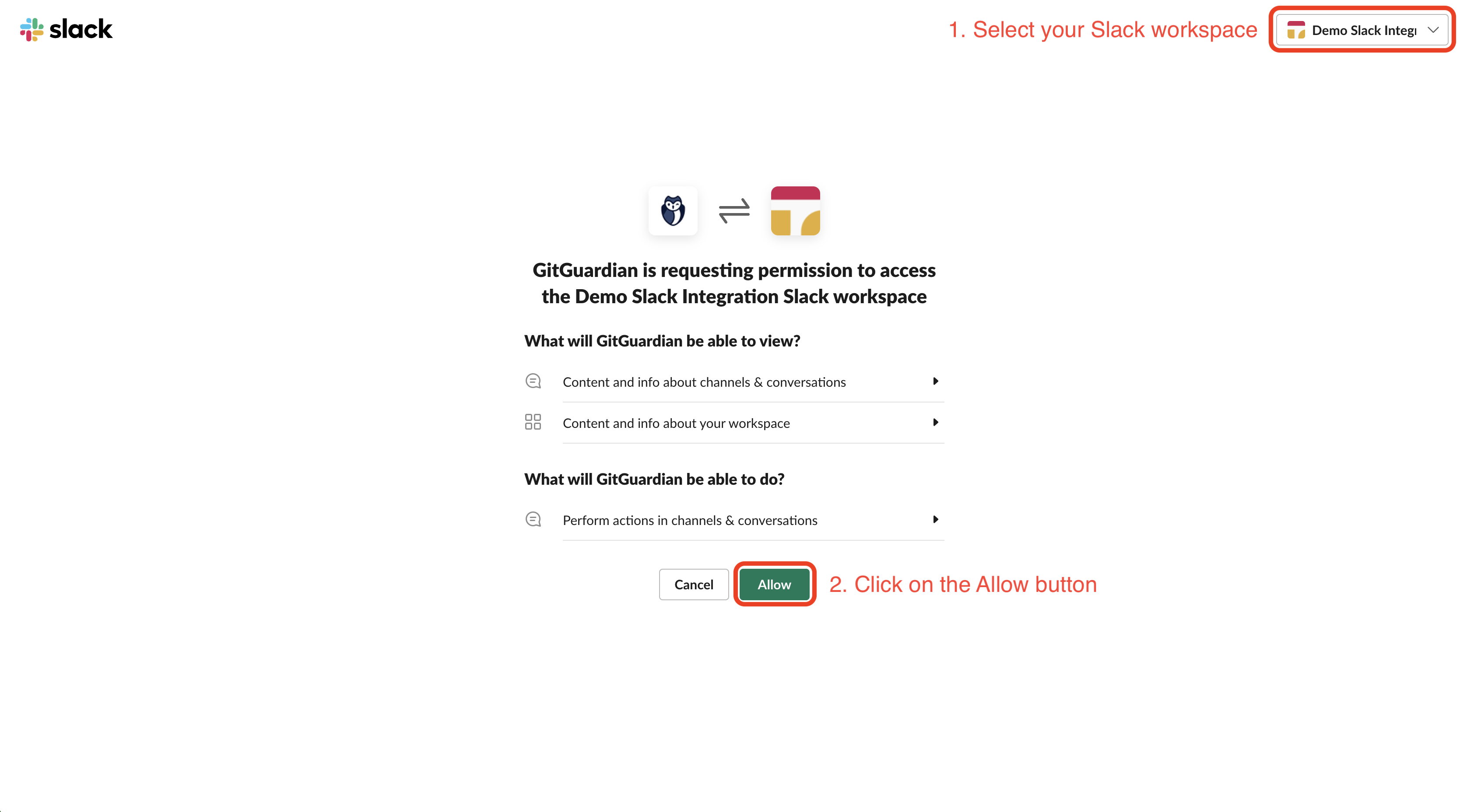
- Select the Slack workspace you want to add
- Click Allow to grant the permissions requested by GitGuardian
That's it! Our GitGuardian app is now automatically joining all your public channels and will monitor new messages in these channels. You can also invite the GitGuardian app to private channels to monitor these channels as well.

