Azure pipelines
Prelude
GitGuardian CI/CD integration with Azure Pipelines is performed through our CLI application: ggshield.
ggshield is a wrapper around the GitGuardian API for secrets detection, an API key is required for authentication.
⚠ Azure Pipelines does not support commit ranges outside of GitHub Pull Requests, therefore on push events in a regular branch only your latest commit will be scanned. This limitation doesn't apply to GitHub Pull Requests where all the commits in the pull request will be scanned.
Preview
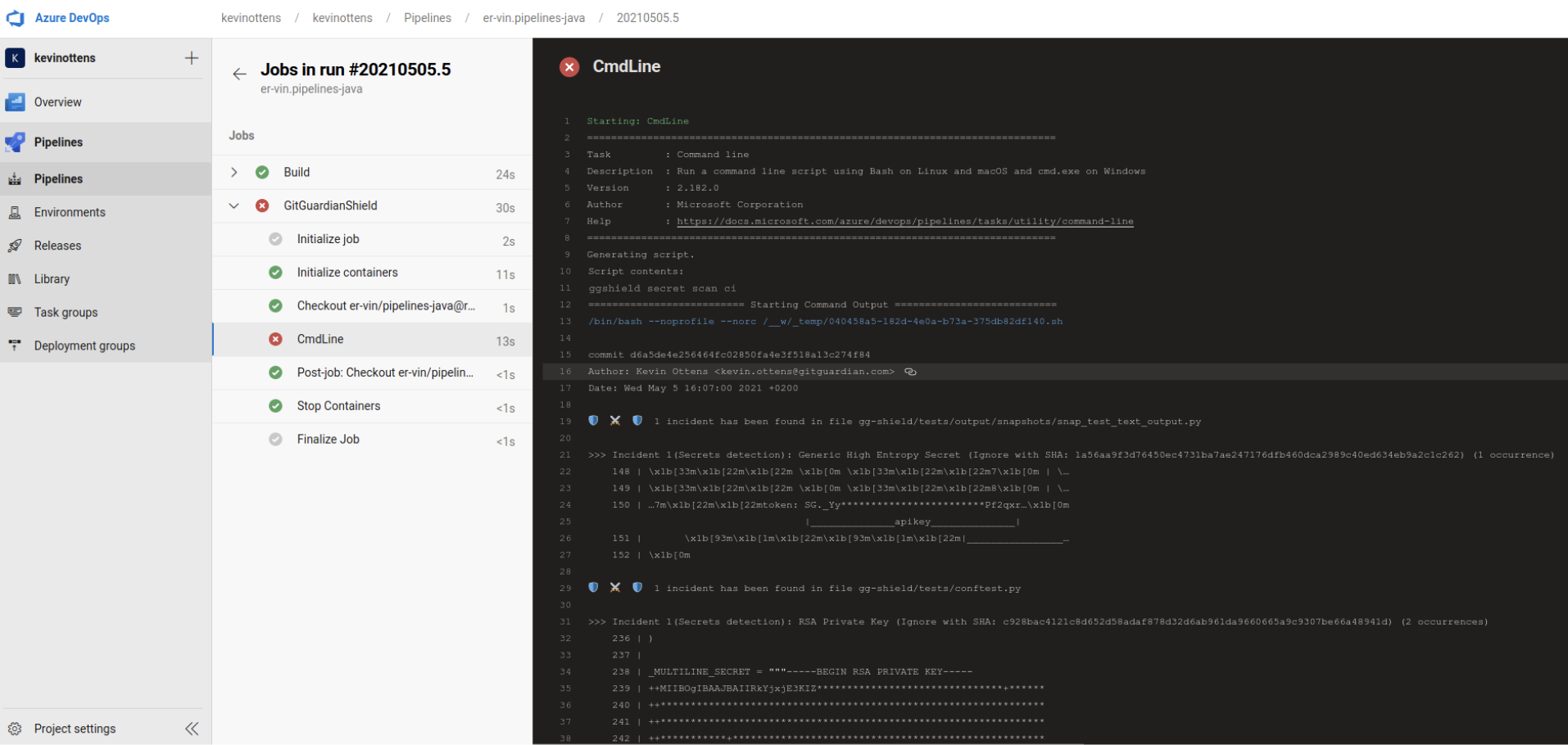
Installation
Service accounts are recommended to run this integration.
Please note that service accounts are only available for workspaces under our Growth or Enterprise plan, and their administration is restricted to Managers. If your workspace is under the Free plan, you can still use a personal access token to run this integration.
-
Create a service account from the API section of your GitGuardian workspace (or a personal access token if you are on the Free plan).
-
Add this API key to the
gitguardianApiKeysecret variable in your pipeline settings. -
Add a new job using ggshield to your Azure pipeline
jobs:
  - job: GitGuardianShield
    pool:
      vmImage: 'ubuntu-latest'
    container: gitguardian/ggshield:latest
    steps:
      - script: ggshield secret scan ci
        env:
          GITGUARDIAN_API_KEY: $(gitguardianApiKey)
Scan all pipelines with the Azure DevOps extension
If you want to add ggshield secret scanning to every pipeline in your Azure DevOps organization without editing each one individually, use the ggshield Azure DevOps extension instead.
The extension adds a pipeline decorator that automatically injects the ggshield secret scan job into every pipeline run in your organization. It also lets you share a single GitGuardian service account token across all your Azure DevOps CI jobs, instead of configuring a secret variable in each pipeline.
Microsoft doesn't allow extensions that use a pipeline decorator to be listed publicly on the Visual Studio Marketplace. Because of this, our extension is only available privately. Contact GitGuardian's support team if you want us to share it with you.

