Environments, Classified at the Secret Level For You
 Release Date: October 7, 2026
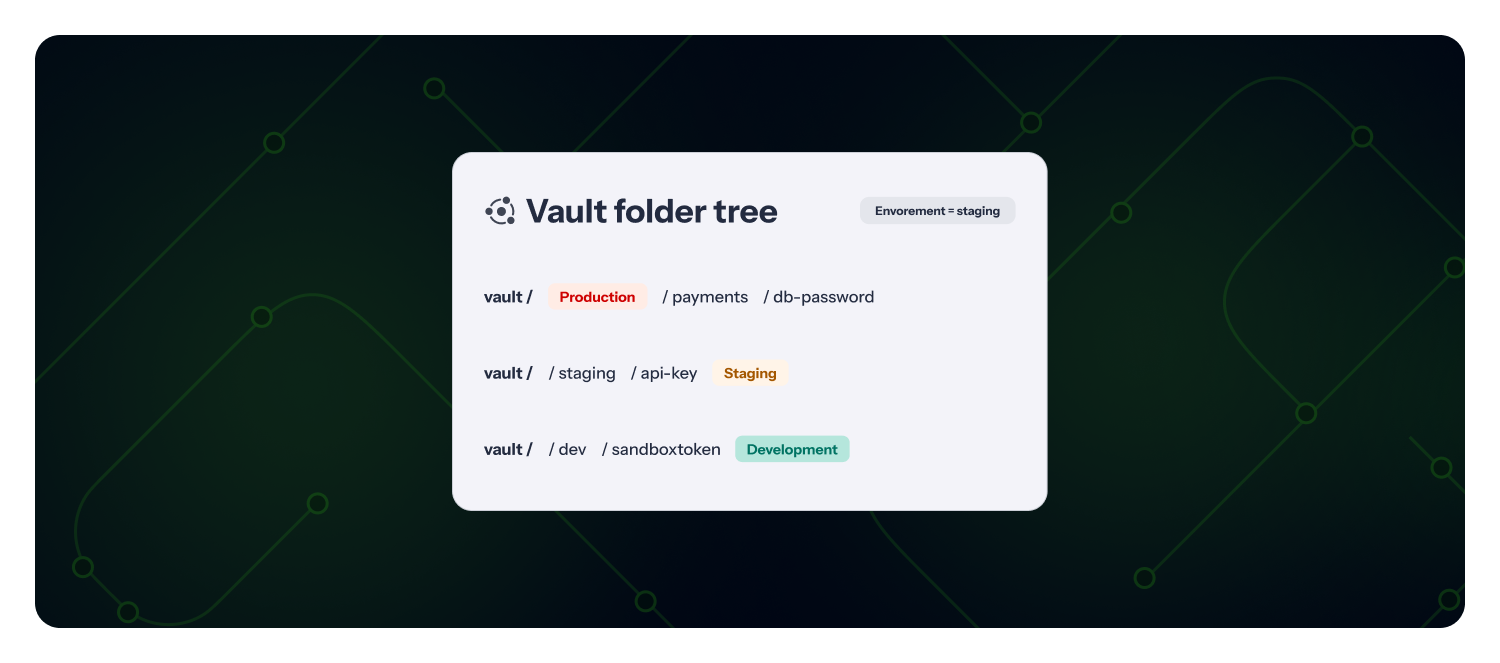
NHI Governance now classifies the environment of each secret from where it lives and how it is tagged. A secret stored under vault/production/payments is production, a secret labeled environment=staging is staging, whatever the env declared for the whole source in your ggscout configuration. The source-level env is now a fallback, used only when nothing in the path, tags, or labels resolves.
What does this mean for you?
- One environment per secret: A single vault that holds production and development secrets no longer shows as one environment. Each secret carries its own.
- Nothing to configure: GitGuardian reads a vocabulary of common names and aliases (
prod,prd,stg,qa,uat,dev, and more) from the secret path first, then from tags and labels. Your existingenvsetting stays as the default. - Used everywhere: Beyond the environment column and filter, the classified environment feeds the Exploration map, the Cross-Environment Secrets policy, and the production modifier of Risk criticality.
Why is this important?
A source-level label is only as accurate as your vault layout. Teams routinely share one vault or CI project across environments, so a blanket env either over-reports production exposure or hides it. Reading the environment from the secret itself gives the cross-environment policy and the risk score the precision they need to point at the right identities.
Get started now
- Nothing to enable. Each source is re-evaluated on its next scan.
- Upgrade ggscout to 0.33.0 or later so that Azure Key Vault secret tags, GitLab CI
environment_scope, and Akeylessitem_tagsreach GitGuardian. Paths from HashiCorp Vault, Akeyless, AWS Secrets Manager, and CyberArk already do.
Learn how environments are classified.
Enhancements
- GitHub check runs: Developers can now reply to a GitGuardian check run by commenting on the pull request with
@gitguardian. The comment is added as a note on every incident the check run found, visible in the dashboard and through the incident notes API. Turn it on per integration in your check runs settings. - Public API: Skip a blocking GitHub check run with
POST /v1/check-runs/{check_run_id}/skip, with the same reasons as the skip buttons, even when they are disabled. List check runs by incident withGET /v1/check-runsto get the id. - Google Artifact Registry: Connect GitGuardian keyless with Workload Identity, so no service account key is stored or rotated. Declare projects, folders, or a whole organization as scopes: GitGuardian finds the repositories in all regions, including projects created later.
- Incidents: The source status filter gains an is all of operator, so you can isolate incidents whose sources are all deleted or archived instead of incidents with at least one such source. The public API exposes it as
source_monitoring_status__all. - Public API: Trigger a presence check on an incident with
POST /v1/incidents/secrets/{id}/check-presenceandPOST /v1/public-incidents/secrets/{id}/check-presence. The check runs asynchronously and the endpoint returns as soon as it is queued. - Confluence Data Center: The
author_infoof new occurrences now carries the stable Confluence user key, so you can map incident authors to users even when the instance does not expose emails. - Navigation: Your row selection in any table is now kept when you open an item and restored when you come back, so a misclick no longer resets it.
Fixes
- Public Monitoring: Fixed an issue where notifications for new public incidents (ServiceNow, Slack, webhooks, and other destinations) were not sent for workspaces using the agents' risk score. They are now sent without waiting for a risk score.