- Configure an Authentication Source for Single Sign-On in the Duo Dashboard. Ensure that
FirstName and LastName
are provided as attributes as described in the Duo documentation.
- From the "Applications" tab, click on "Protect an Application", and choose to protect a "Generic Service Provider"
with "2FA with SSO hosted by Duo (Single Sign-On)"

- Map the following from the Duo Generic Service Provider values into the GitGuardian dashboard:
| Duo values | GitGuardian configuration |
|---|
| Entity ID | Entity ID |
| Single Sign-On URL | Single Sign On URL |
| Certificate contents | X509 Cert |
Also ensure that the checkbox I have mapped the attributes first_name and last_name in my IdP is checked.
- Map the following from the GitGuardian dashboard into the Duo Generic Service Provider configuration:
| Duo Service Provider configuration | GitGuardian values |
|---|
| Service Provider Entity ID | SP Entity id |
| Assertion Consumer Service | ACS URL |
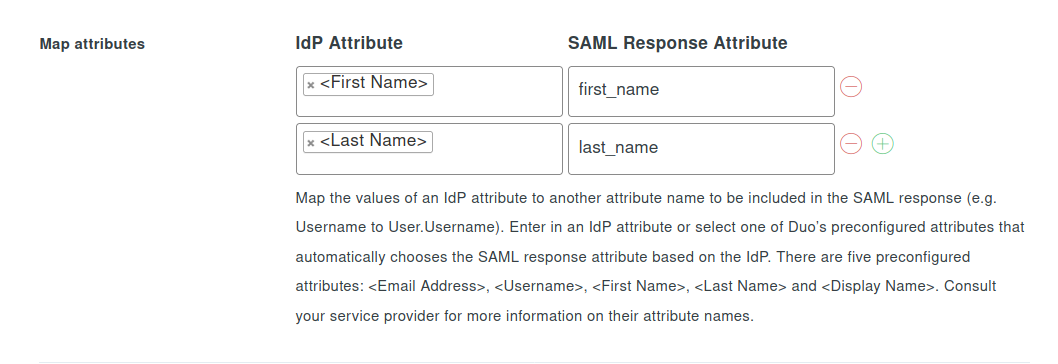
- In the SAML Response section, add the following mapping in "Map attributes"
| IdP Attribute | SAML Response Attribute |
|---|
| First Name | first_name |
| Last Name | last_name |
- Give the Service Provider configuration a recognizable name, such as "GitGuardian".
- Save.
- Important: Don't forget to reserve your email domain to enable automatic SSO discovery.

