Generic SAML2 IdP
For SAML2-enabled Identity Providers not listed in our specific guides, follow this generic procedure.
1. Register GitGuardian on your Identity provider
In order to integrate GitGuardian with your Identity Provider, you must first register GitGuardian (Service Provider) as an application on the IdP's side. Follow these steps carefully:
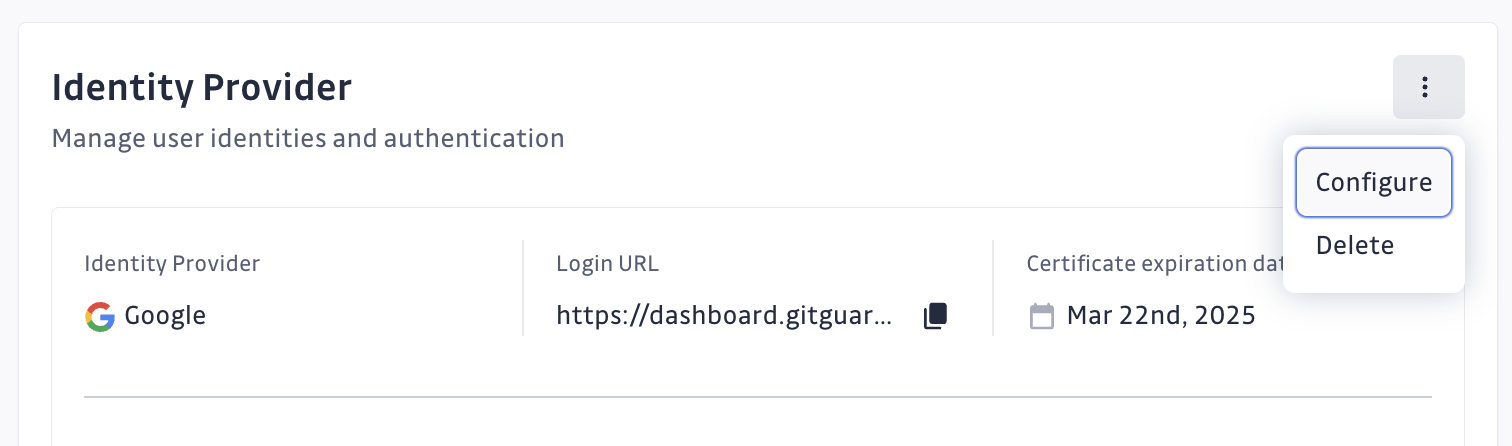
- Navigate to Settings > Authentication
- Click on "Configure"
- On your IdP:
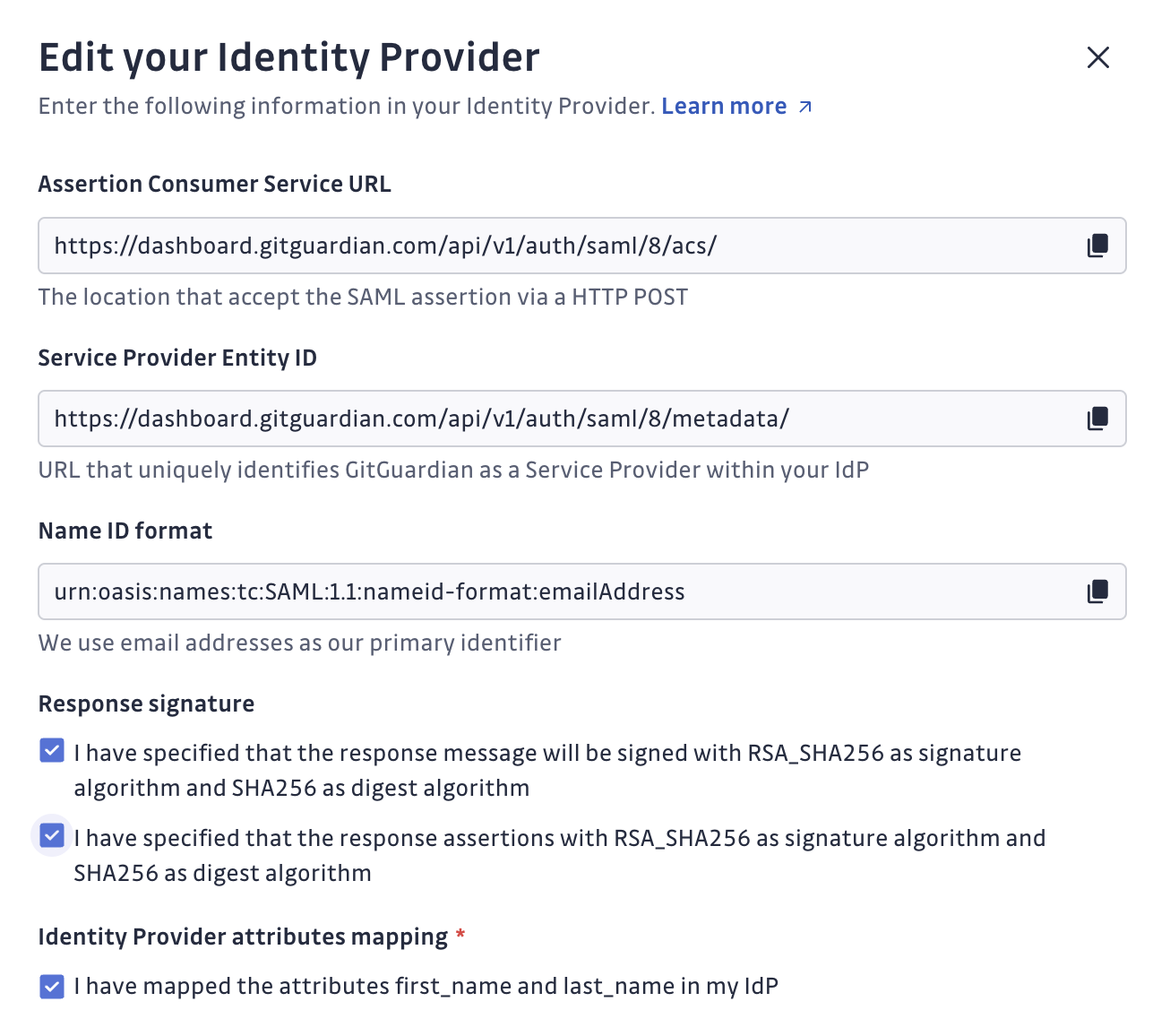
- Fill in the SAML endpoint provided by GitGuardian (ACS url, SP Entity id)
- Fill in Email or EmailAddress as the primary identifier (Name ID format).
Refer to our FAQ if this Name ID format is not available in your IdP. - Set RSA_SHA256 for the signature algorithm, and SHA256 for the digest algorithm for your response.
Some Identity Providers (IdPs) may require you to sign either the response message or the response assertions. GitGuardian provides the ability to specify this IdP behavior.
Note that at least one of these, either the response message or the response assertions, must be signed. - Configure
first_nameandlast_namemapped attributes.
2. Register your IdP on GitGuardian's side
Once GitGuardian is registered as an application on your IdP's side, you need to provide your IdP metadata fields on GitGuardian (Service Provider side) in order to complete the integration:
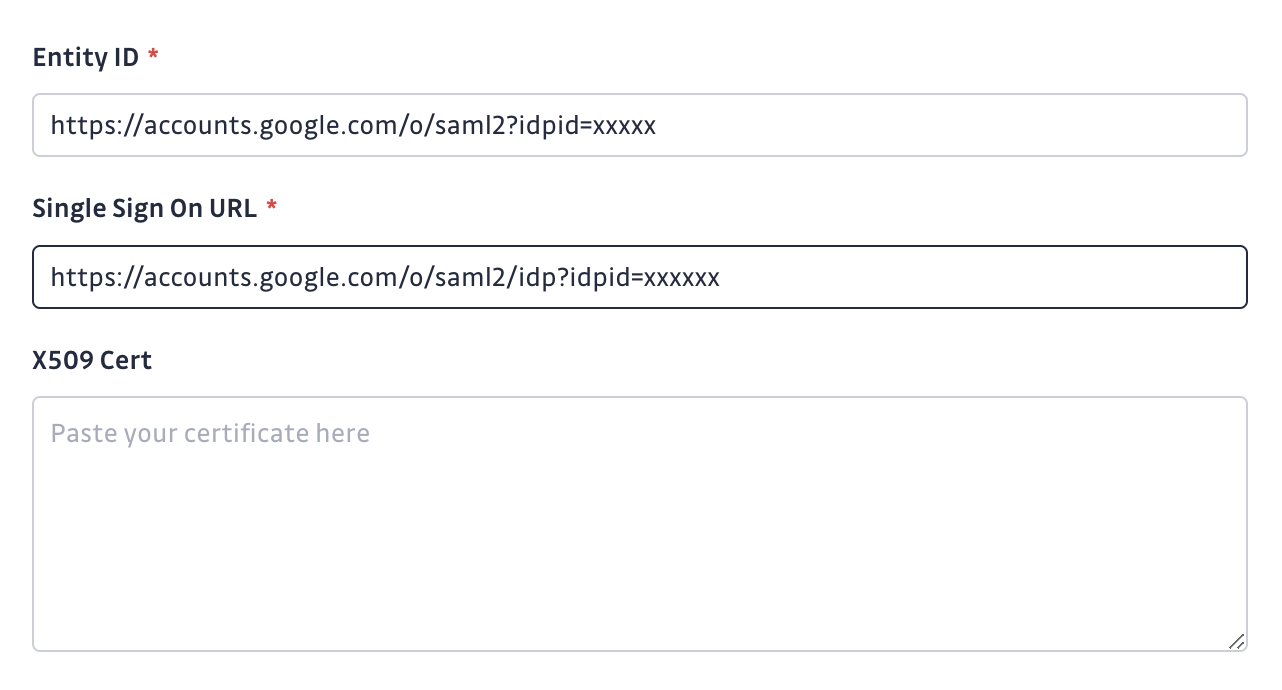
- While still on the Authentication config page of your workspace settings, complete the form with:
- Entity Id [required]
- Single Sign On Url [required]
- Single Log Out Url [optional]
- X509 certificate [required]
- Ensure that the checkbox I have mapped the attributes first_name and last_name in my IdP is checked
- Submit the form to fully register the SAML integration.
- The setup is complete. Your workspace will have a dedicated SSO login url for your collaborators to sign in using your IdP.
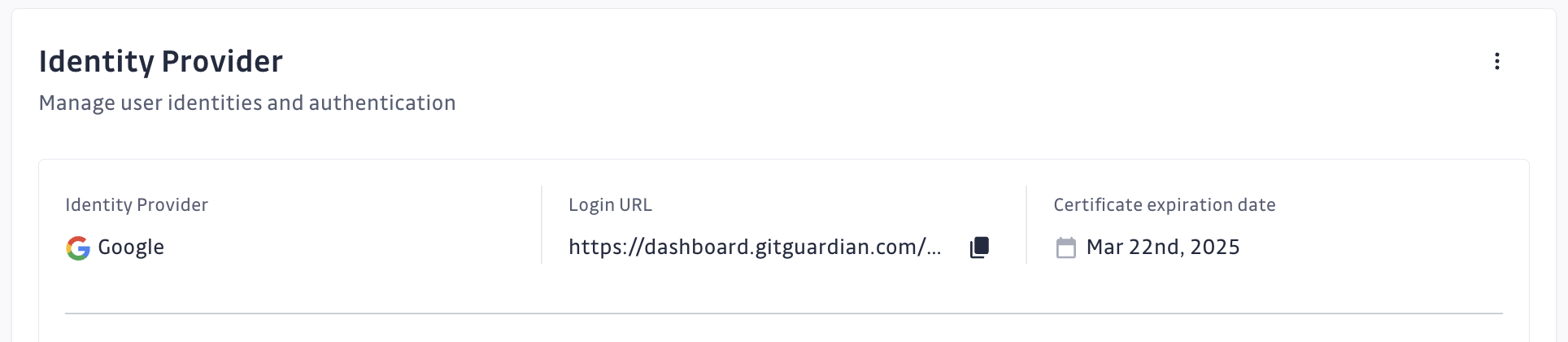
You can register this SSO login url on the IdP side to enable the SSO flow with one click directly in the IdP interface. However this IdP-Initiated flow carries a security risk and is therefore NOT recommended. Make sure you understand the risks before enabling IdP-initiated SSO.
Don't forget to complete the Email domain reservation step to enable automatic SSO discovery and prevent workspace fragmentation.

