Track your GitHub check runs from the dashboard
 Release Date: July 28, 2026
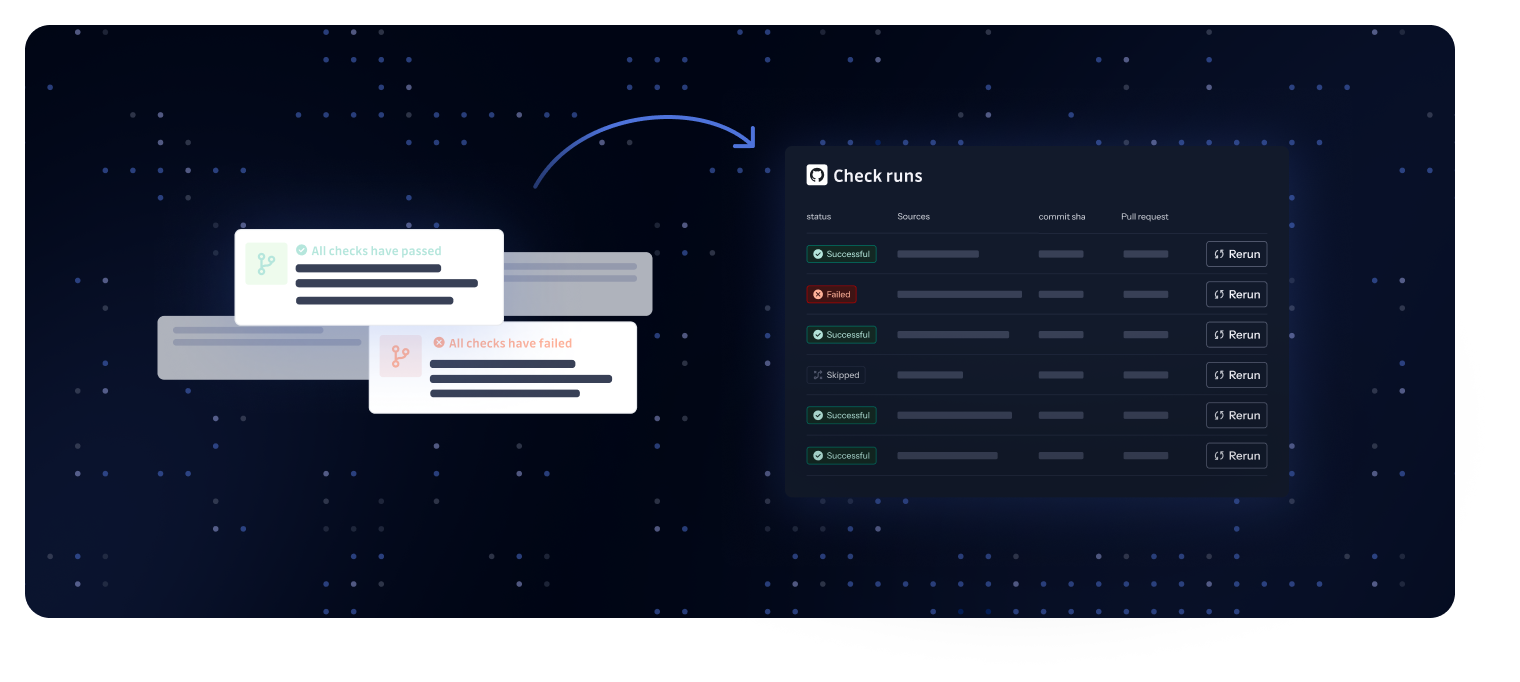
GitHub check runs now have a dedicated page in the GitGuardian dashboard. Until now, check run results lived only in the GitHub UI, making it hard to answer questions like "did this pull request get scanned?" or "why did this check fail?" without digging through GitHub. The new GitHub check runs page, available in the Perimeter section, brings every check run into one place.
What does this mean for you?
- Full visibility into every scan: Browse all your check runs with their status (Successful, Failed, Skipped, and more), repository, commit SHA, associated pull request, and timing.
- Find what you need fast: Filter by repository, status, or date, and search across your check runs, even on workspaces with hundreds of thousands of runs.
- Key metrics at a glance: A KPI strip at the top of the page summarizes your check run activity so you can spot failures and trends immediately.
- Recover without leaving the dashboard: Re-run a check directly from the list, or skip it when appropriate, without switching back to GitHub.
- Jump to linked incidents: When a check run detects secrets, navigate straight to the related incidents to start remediation.
Why is this important?
Check runs are your first line of defense against secrets entering your repositories. When they fail or get stuck, pull requests are blocked and developers lose time. This page gives security teams and admins a single place to audit scan coverage, troubleshoot failed runs, and unblock developers quickly.
Get started today!
Open the Perimeter section of your GitGuardian dashboard and select the GitHub check runs tab. Learn more in our documentation.
Enhancements
- Public perimeter: Fine-grained GitHub personal access tokens can now be used to monitor private member of a GitHub organization, in addition to classic tokens.
- Integration source pages: The Display as Tree view was removed from integration source pages, and only the Display as List view was kept. The tree view could cause frozen or lagging pages on workspaces with large perimeters, while the list view covers the same use case with better performance.
- Sources health management for Bitbucket Cloud, Bitbucket Data Center, GitLab, and Azure DevOps: Extending the source health coverage from previous releases, GitGuardian now pauses real-time ingestion and historical scans on unreachable Bitbucket, GitLab, and Azure DevOps sources, auto-resumes them once health is restored, and surfaces an actionable recovery step. Rolling out to the other VCS in upcoming releases. See the integration guides for Bitbucket Cloud, Bitbucket Data Center, GitLab, and Azure DevOps.
Fixes
- Email & MFA: Fixed an issue where multi-factor authentication emails were not delivered to users who had been globally unsubscribed in the email delivery system.
- Source monitoring: Fixed a performance issue where every push event triggered a full repository clone instead of reusing locally cached data.
- Slack integration: Fixed an issue where the Slack integration monitored channels that were not manually added, even when auto-monitor was disabled.
- Incident notes: Fixed an issue where user mentions in the incident feedback popover displayed a raw identifier instead of the member's display name.