7 posts tagged with "internal-monitoring"

View All Tags

Publicly leaked tag and exposure detail in internal incidents

calendar icon   Release Date: March 10, 2026

Publicly leaked thumbnail

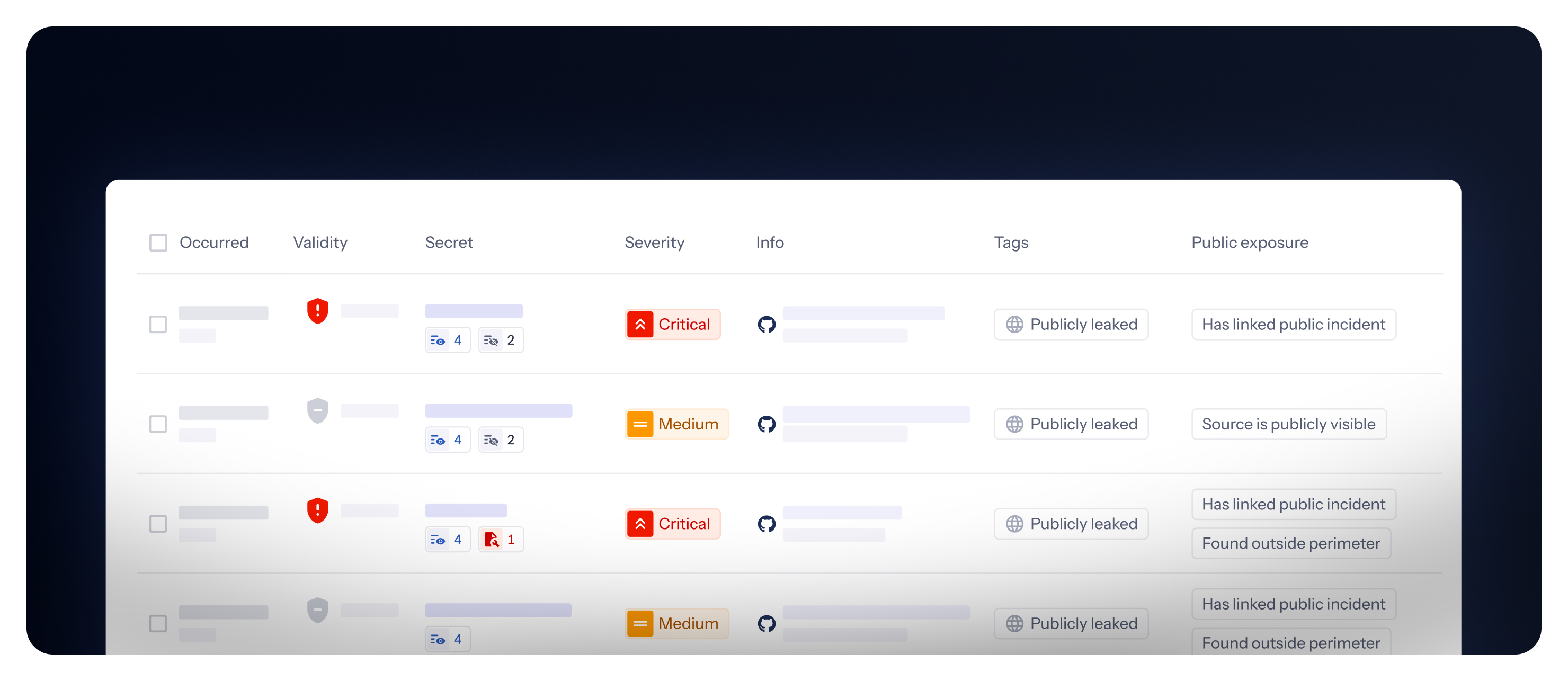
We are introducing a unified approach to public exposure information for secrets detected in Internal Monitoring. This update consolidates how we display public exposure, making it easier to understand and act on publicly visible secrets.

What's changing?

  • Single tag: The "Publicly exposed" and "Publicly leaked" tags are now consolidated into a single "Publicly leaked" tag that appears whenever a secret has any type of public exposure.
  • New "Public exposure" property: A new property provides detailed information about the nature of the exposure, categorized into three types:
    • Source is publicly visible: The incident has at least one occurrence in a monitored source that is publicly visible.
    • Has linked public incident: The secret also appears in public incidents from your public perimeter (requires Public Monitoring).
    • Found outside perimeter: The secret was found in public locations unrelated to your company, such as repositories you don't own (requires Public Monitoring for full details).

A new default saved view "Public exposure" and a dedicated column are available to help you filter and view exposure details.

👉 Learn more about public exposure

Red Hat Quay Integration: Your Enterprise Images, Under Watch

calendar icon   Release Date: March 5, 2026

Red Hat Quay thumbnail

Another registry, zero blind spots. We're expanding GitGuardian's container security coverage with a new integration for Red Hat Quay — the enterprise-grade, OCI-compliant registry trusted by organizations running OpenShift and hybrid cloud infrastructure.

Whether you're on quay.io or running a self-hosted Quay instance, GitGuardian now has you covered by scanning your container images for hardcoded credentials, API keys, and internal tokens buried in image layers.

What does this mean for you?

  • SaaS and self-hosted, covered: Works with quay.io and on-premise Red Hat Quay deployments — same integration, same protection.
  • Full image layer analysis: Every layer, every Dockerfile, every environment variable — scanned for secrets that shouldn't be there.
  • Historical + incremental scanning: Catch secrets already hiding in existing images, and detect new ones as they're pushed.
  • Granular perimeter control: Monitor specific repositories or your entire Quay instance — fine-tune coverage to match your needs.
  • OAuth2 authentication: Secure, token-based integration with read-only access. No credentials stored, no write permissions required.

Why is this important?

Container images are the final artifact before production. A secret embedded in an image layer — a database password in an ENV directive, an API key baked into a config file — travels straight to your runtime environment. Unlike source code, image layers are often overlooked in security reviews, making them a prime vector for credential exposure.

With Red Hat Quay joining Docker Hub, Amazon ECR, Azure Container Registry, Google Artifact Registry, and JFrog Container Registry, GitGuardian now covers six major container registries — giving you unified secrets detection wherever your images live.

Get Started Today!

  1. Navigate to Settings > Integrations > Sources
  2. Click Install next to Red Hat Quay in the Container registries section
  3. Create an OAuth Application in your Quay instance and connect it to GitGuardian

This feature is currently available in beta. Check out the full setup guide to learn more.
--

Enhancements

  • Public API: Added endpoint to retrieve GitGuardian's egress IP addresses in CIDR notation for allowlisting in firewalls, network security groups, or other access control systems. Learn more.

JFrog Artifactory Package Registries: Secrets Hide in Your Packages Too

calendar icon   Release Date: March 3, 2026

JFrog Package Registries thumbnail

Your container images are scanned. Your Git repos are covered. But what about the packages flowing through your software supply chain?

We're thrilled to announce JFrog Artifactory Package Registries integration — bringing GitGuardian's secrets detection engine to the artifacts that power your builds. Maven JARs, npm tarballs, PyPI wheels, NuGet packages, and more: if a secret is hiding in there, we'll find it.

What does this mean for you?

  • 12 package ecosystems covered: Scan Maven, npm, PyPI, NuGet, Go, Gradle, Swift, Cargo, RubyGems, Composer, Pub, and Generic repositories — all from a single integration.
  • Historical + incremental scanning: Detect secrets already lurking in existing packages, and catch new ones as they're published.
  • Granular perimeter control: Choose exactly which repositories to monitor, or cover your entire JFrog instance — your call.
  • Share remediation efforts: Assign package repositories ownership like you do for VCSs, to route findings to relevant teams.
  • Seamless setup: Connect your JFrog Artifactory instance in minutes with an Access Token — no agents, no sidecars, no complexity.

Why is this important?

Secrets don't stay in source code. They travel — embedded in build artifacts, bundled into packages, and shipped across your software supply chain. A leaked API key in a Maven artifact or a database credential in an npm package can compromise production systems just as effectively as one committed to Git.

With this integration, GitGuardian closes a critical blind spot. You now have unified secrets detection across your repositories, container images, and package registries — a complete view of your exposure surface.

Get Started Today!

  1. Navigate to Settings > Integrations > Sources
  2. Click Install next to JFrog Package Registries in the Package registries section
  3. Connect your JFrog instance with an Access Token and start scanning

This feature is currently available in beta.
Check out the full setup guide to learn more.

Enhancements

  • Audit Logs: Scope information is now displayed in audit log entries when Personal Access Tokens (PATs) and Service Account Tokens (SATs) are created, providing enhanced visibility into token permissions for security compliance and monitoring.
  • Security Settings: Added the ability to restrict Personal Access Token (PAT) scopes for members, allowing workspace managers to limit members to creating PATs with specific scopes (e.g., "Scan only") for enhanced security control. Learn more.
  • Authentication Settings: Added customizable session duration setting, allowing workspace administrators to configure how long dashboard sessions remain active before users are automatically logged out. Learn more.
  • Slack & Webhook Alerting: Added feedback content (remarks) to Slack and Webhook alerts for both internal and public monitoring incidents, providing complete feedback information in notification payloads. Learn more.
  • Slack Alerting: Enhanced incident notification messages with improved formatting, additional context (secret type, status, assignee, severity, risk score), and clearer attribution for automated GitGuardian actions.
  • Jira Ticketing: Added filename and line number as template options in Jira templates, displayed as "N/A" when not applicable to the incident source.
  • Dashboard: Added "System" theme mode option that automatically matches the operating system's light or dark mode preference, set as default for new users.

Fixes

  • Alerting: Fixed an issue where Jira Cloud installations were unexpectedly soft-deleted without user action, causing notification failures.
  • API: Fixed schema validation error for API response path 'id' that was causing client-side errors.
  • Incidents: Fixed timeout issues when applying bulk updates to incident custom tags, improving performance for large-scale operations.
  • Public Incidents: Fixed 400 Bad Request error when creating public incidents from secrets found in Explore.
  • Security: Fixed an authorization issue where Workspace Members with Team Leader permissions could delete notification settings for the "All Incidents" team, ensuring only Workspace Managers can manage these settings.

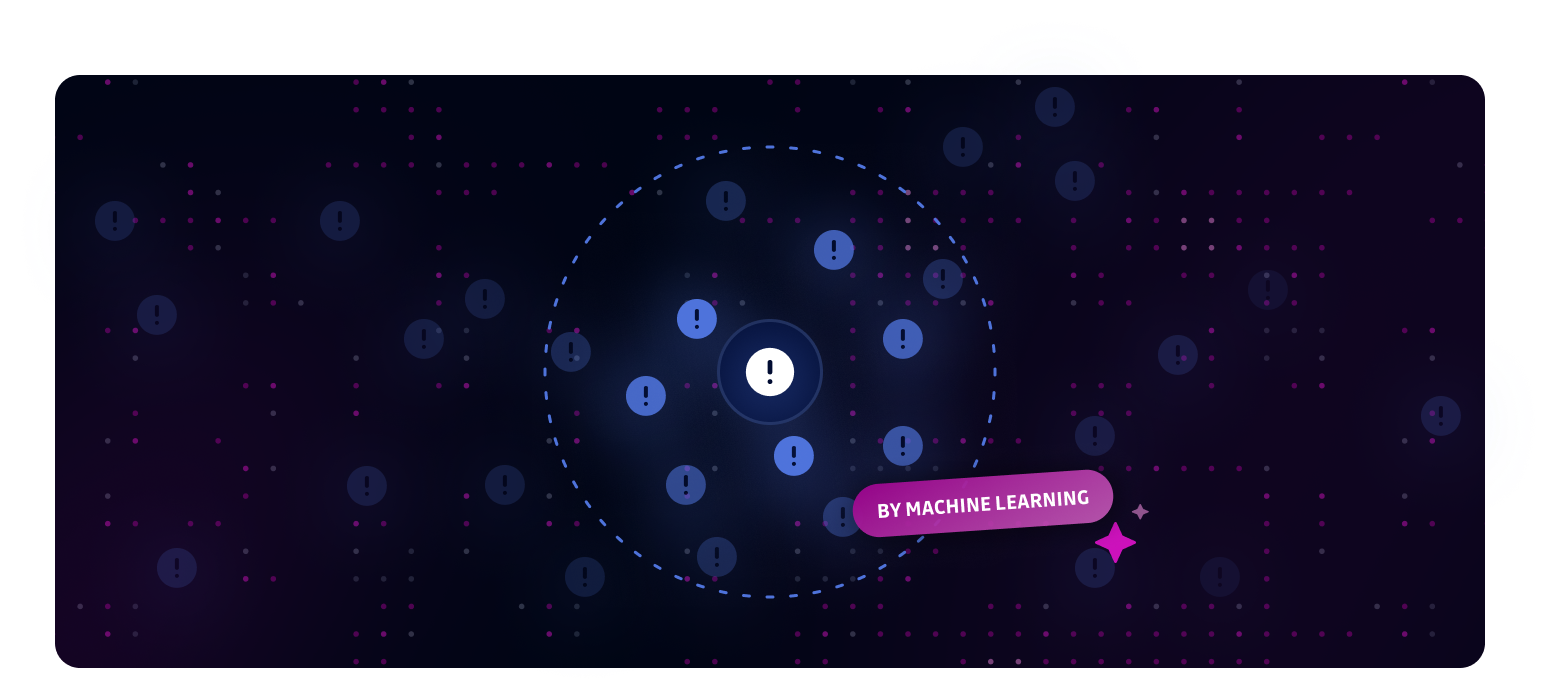
ML-Powered Similar Incident Grouping - Combat Incident Fatigue!

calendar icon   Release Date: January 8, 2025

ML-Powered Similar Incident Grouping Thumbnail

Introducing ML-Powered Similar Incident Grouping - a smart solution to combat incident fatigue by automatically grouping related incidents for efficient bulk remediation.

Key Benefits:

  • Reduce incident overload by identifying patterns in similar security incidents
  • Streamline bulk actions on groups of related incidents
  • Focus on unique issues while efficiently handling repetitive cases

Common grouping scenarios:

  • Rotating tokens in automated deployments
  • QA test credentials appearing across multiple files
  • Database connection strings to the same environment
  • Repeated false positives from templating code or tutorials
  • High-entropy strings in logs that are likely system-generated
  • Known noisy patterns from specific services or file types

Our ML algorithms analyze incident context beyond just detector types to identify meaningful relationships between incidents. View similar incidents in the sidebar of any incident detail page, then use bulk actions to resolve them efficiently.

This feature is available for both Internal Monitoring and Public Monitoring on the Business & Enterprise plans.

Enhancements

  • Integrations: Improved token refresh reliability for Slack and Atlassian Cloud integrations with automatic retry on transient failures.

Fixes

  • Playbooks: Fixed an issue where the "Auto-ignore incidents when secrets are tagged as false positive" playbook was incorrectly reactivated when a Business account's plan was edited in the back office.
  • Historical Scans: Resolved a scan queueing issue that prevented all eligible sources from being properly enqueued during bulk scan operations.

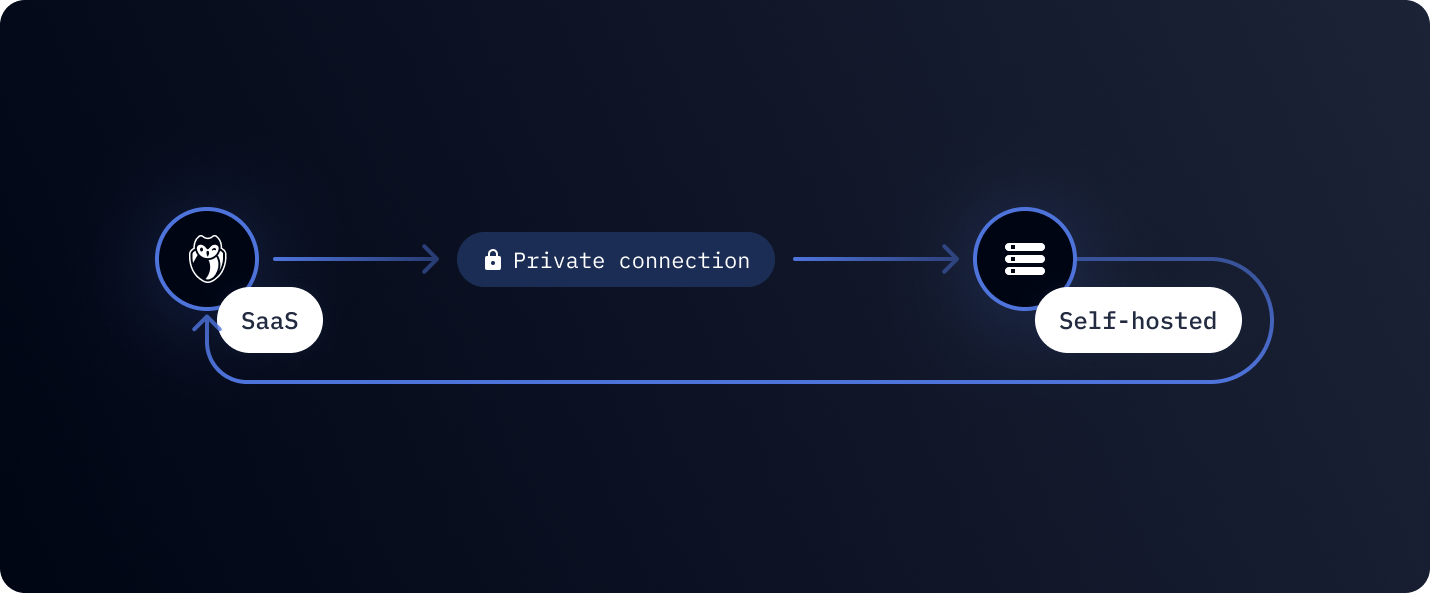
GitGuardian Bridge - Secure Access to All Your Self-Hosted Services

calendar icon   Release Date: October 9, 2025

GitGuardian Bridge Enhancement Thumbnail

GitGuardian Bridge creates a secure, encrypted tunnel that connects GitGuardian SaaS to ALL your self-hosted services without compromising network security.

What's new?

GitGuardian Bridge now supports comprehensive integration with any self-hosted service in your private networks - from GitHub Enterprise and GitLab to Jira Data Center, Confluence, Container registry, and custom sources. The setup process has been streamlined with flexible domain mapping that can be configured during bridge creation or later.

Why does this matter?

Modern enterprises run hybrid infrastructures with critical systems in private networks. GitGuardian Bridge solves the fundamental challenge of maintaining complete secret detection coverage across your entire infrastructure without opening firewall holes or exposing internal services to the internet.

Key capabilities:

  • Universal compatibility with any self-hosted service
  • Feature Parity with our SaaS application, including support for validity checks and secrets analyzers
  • Zero network exposure with outbound-only connections
  • Enterprise-grade security with mutual TLS authentication
  • Simplified deployment with streamlined configuration

GitGuardian Bridge is available for Enterprise plan workspaces. Contact our support team to enable bridge functionality.

Learn more about GitGuardian Bridge


Enhancements

  • Generic Secret Enricher v2, GitGuardian's machine learning model for secret categorization, has reached version 2. This update introduces 50 new providers and enhances enrichment by 75% for public data and 50% for internal data, resulting in a 30% increase in categorized incidents. Learn more about Generic Secret Enricher.
  • False Positive Remover v2.5: Enhanced detection capabilities with x2 more false positives identified (varies by customer). Better detects false positives in secret identifiers, secret file paths, variable names, and plugin versions. Learn more
  • Jira ticketing integrations: Added automatic ticket assignment to incident authors via email matching, improving accountability and faster resolution. Available for both Jira Cloud and Data Center. Learn more
  • ML bulk grouping (Early Access): Automatically group similar incidents using machine learning to reduce noise and improve incident management efficiency. This feature intelligently identifies patterns across incidents to streamline your workflow. Learn more

Fixes

  • Weekly Summary Email: Fixed incorrect date ranges displayed in weekly summary emails.
  • Jira Integration:
    • Update Jira DC webhook creation to use version-specific endpoints based on the instance version.
    • Fixed admin permission detection for Jira Data Center.
  • SharePoint integration: Fixed issue where SharePoint Online tenants appeared as monitored but failed to display nested sites and resources properly.
  • Historical Scans: Fixed duplicate information appearing in the historical scan elements column.
  • Secret Revocation: Fixed an error that occurred when attempting to revoke secrets for GitHub PAT.

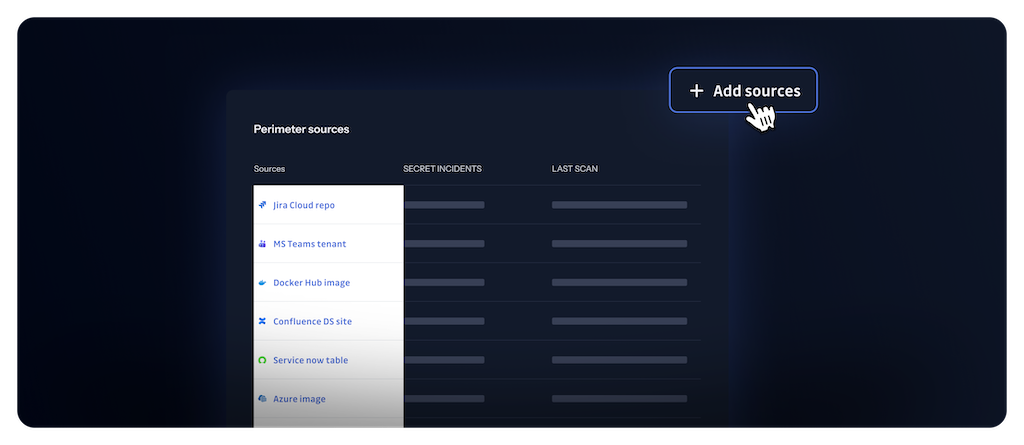
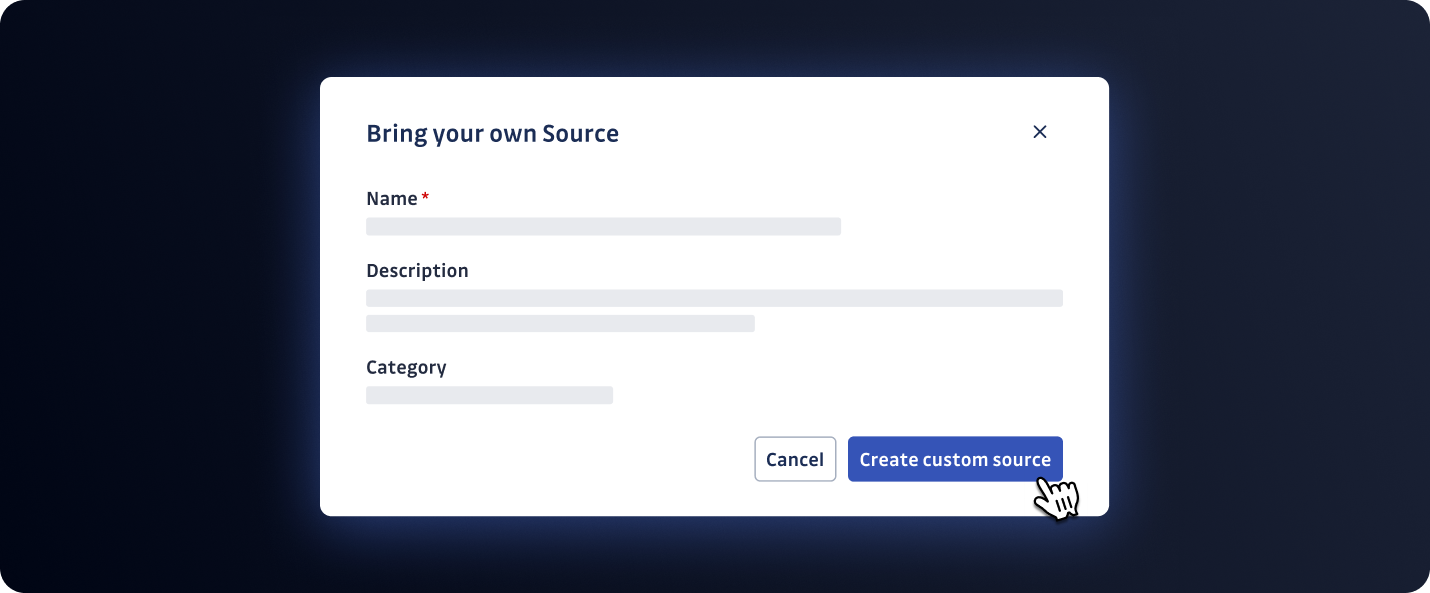
Now, Bring Your Own Sources!

calendar icon   Release Date: August 13, 2025

Bring Your Own Sources Thumbnail

We're excited to announce the launch of Bring Your Own Sources, a powerful new feature that allows you to extend GitGuardian's secret detection capabilities to any data source, whether it's CI logs, legacy systems, local filesystems, or SFTP servers. This feature empowers you to seamlessly integrate custom sources into your existing security monitoring workflow.

Why You'll Love It:

  • Infinite Flexibility: Scan any source, regardless of native integration support, and manage incidents directly in the GitGuardian dashboard.
  • Comprehensive Coverage: Eliminate detection gaps and ensure comprehensive coverage across all your environments, especially those highly isolated.
  • Seamless Integration: Integrate sources within minutes, incidents automatically appear in the GitGuardian interface.

How It Works:

  • Declare a Custom Integration: Use the GitGuardian dashboard to create a custom source and receive a unique ID.
  • Scan Your Data: Use ggshield, custom script or any automation tool to scan content from your custom sources.
  • Manage Incidents: View and manage all findings in the GitGuardian dashboard with full filtering and incident management capabilities.

It's Future-Proof:

We're planning enhancements in the coming months, like multi-source support per integration and larger file limits.
We'd love to hear from you: Let us know how it solved your challenges or how we can improve to help you solve them!

Get Started Today!


Enhancements

  • VCS Integrations: Added option to disable automatic repository monitoring when adding new VCS integrations, providing more control over your monitored perimeter.
  • Bitbucket Cloud Integration: Updated authentication to support API tokens as Atlassian discontinues app passwords, ensuring continued integration functionality.

Fixes

  • Email Notifications: Fixed an issue where integration health check emails were sent without respecting user email notification preferences.
  • Confluence Data Center Integration: Resolved an issue where private spaces were not being retrieved during integration setup.

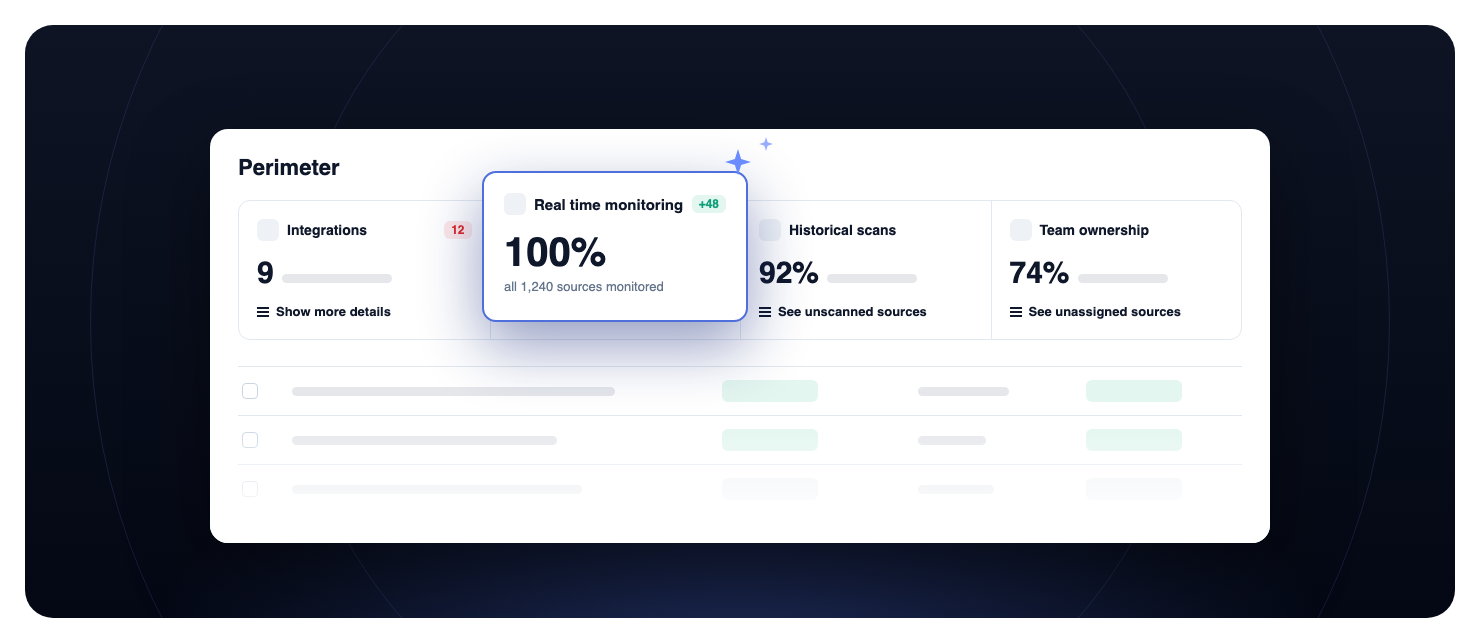
New Analytics - Gain Deeper Insights into Your Security Posture

calendar icon   Release Date: July 23, 2025

illustration

We're excited to announce a major update to Internal Monitoring: comprehensive analytics dashboards that empower you to monitor, investigate, and improve your organization's security posture across four key dimensions—Protect, Detect, Remediate, and Prevent.

Get answers to your most important security questions with new, interactive charts and tables:

Are your code repositories fully monitored for secrets? See the Count of sources chart to track the percentage of monitored repositories over time.

Which types of secrets are most frequently detected in your codebase? Explore the Most detected secrets chart to identify the most common secret types found.

Which teams and sources are most at risk for secret leaks? Check the Top teams by incident count and Top sources by incident count tables to pinpoint where incidents originate.

Is your team resolving security incidents quickly enough? Review the Median time to remediate chart to monitor how fast incidents are being resolved.

How effective are your secret prevention tools in stopping leaks before they happen? Analyze the Total count of incidents avoided by GGShield and GGShield scans over time charts to measure prevention and adoption.

With these new analytics, you can:

  • Visualize monitoring coverage and trends
  • Identify the most common and riskiest secrets
  • Track incident detection and remediation performance
  • Measure the impact of prevention tools like GGShield
  • Drill down by team, source, and severity for targeted action

Start exploring the new dashboards today to drive smarter, data-driven security decisions!

Read documentation


Enhancements

  • GitLab integration: Configuration of multiple GitLab integrations using both system hooks and group hooks simultaneously is now supported