Non-VCS Sources
This section outlines how to activate and configure workers for non-VCS (Version Control System) integrations in Self-Hosted GitGuardian. These integrations allow you to scan messaging platforms, documentation tools, file storage, ticketing systems, and container and package registries for secrets.
By default, the dedicated workers for these integrations have 0 replicas. Their tasks are then handled by the default workers (worker-scanners, worker-worker and worker-long-tasks), so every integration works without enabling anything. We recommend enabling the dedicated workers of the integrations you use, so that their scans do not slow down VCS scans.
The dedicated workers and queues of each integration are listed in Which worker processes which integration.
To scan Office documents and PDFs in files and attachments, also enable the file scanner (apache-tika): with 0 replicas, these files are skipped.
Available Integrations
Messaging Integrations
Documentation Integrations
File Storage Integrations
Ticketing Integrations
Container Registry Integrations
- Amazon ECR
- Azure Container Registry
- Docker Hub
- Google Artifact Registry
- Harbor
- JFrog Container Registry
- Red Hat Quay
Package Registry Integrations
The commit-cache Redis instance is used for JFrog Package Registries scanning. If the commit-cache Redis instance is not configured, the main Redis instance will be used instead.
System Requirements
Standard Workers
Each standard worker type requires: 0.5 vCPU and 2 GiB RAM per replica
File scanner pod
For Office documents and PDFs in files and attachments of any non-VCS source: 0.5 vCPU and 500 MiB RAM per replica
High Disk Workers
Workers downloading files and attachments need additional disk space and I/O capacity. See Binary Files Scanning Considerations.
Configuration
KOTS-Based Installation
To enable non-VCS source integrations in KOTS:
-
Access the KOTS Admin Console
-
Navigate to the Config section
-
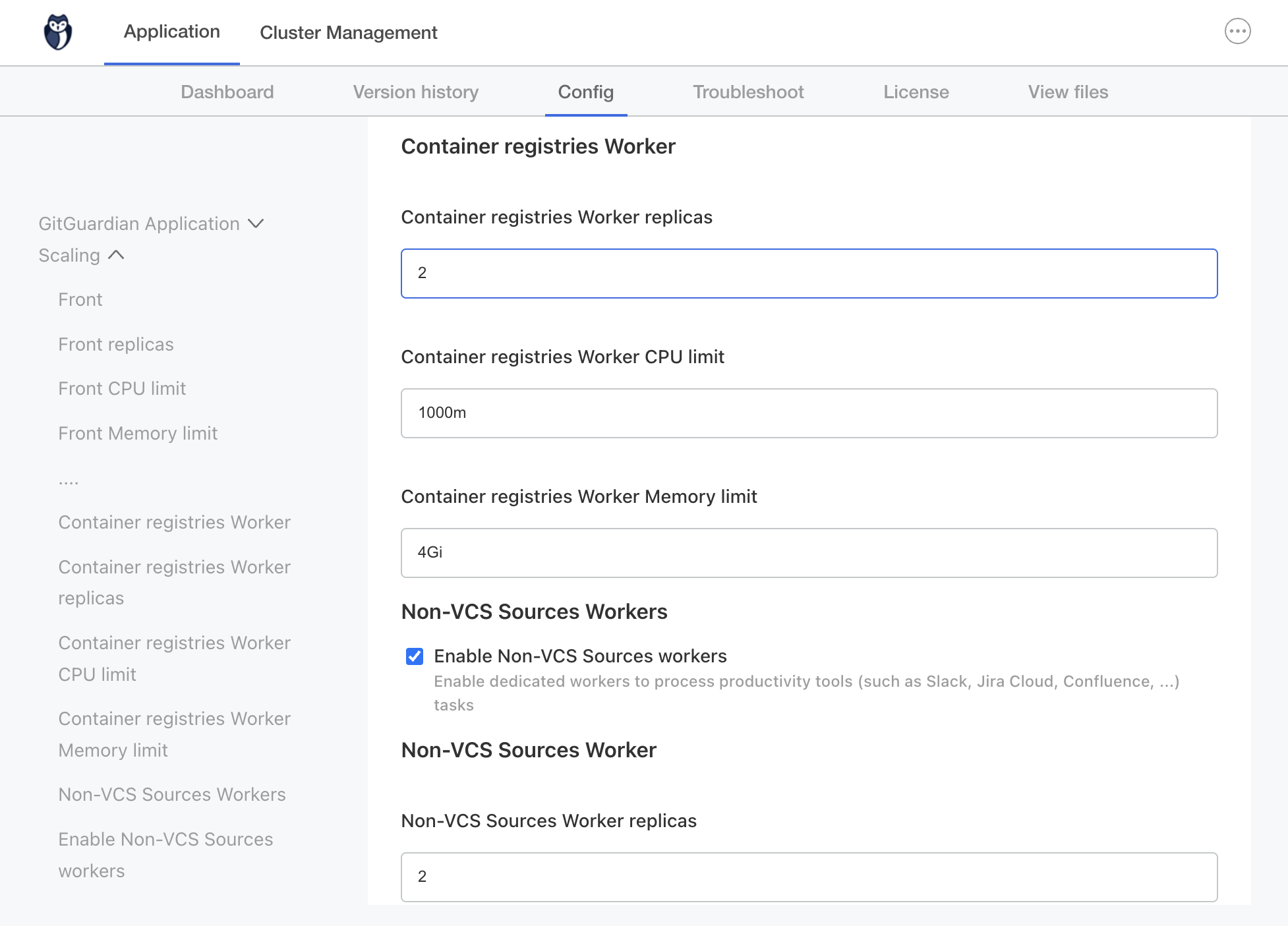
Locate the worker configuration sections under Scaling:
- Container registries Worker
- Non-VCS Sources Workers
-
Set a positive number of replicas for the required workers (change from 0 to 1 or higher)
-
To scan Office documents and PDFs, enable and set replicas in the File Scanner section
-
Save the configuration
Helm-Based Installation
For air-gapped environments, the names of the images required for file scanner can be found in the Air-gap Installation documentation.
For Helm-based installations, consult the Helm Values Documentation for detailed configuration options. Set celeryWorkers.<key>.replicas for the dedicated workers of the integrations you use in your values.yaml file.
Example configuration for Slack:
apacheTika:
  replicas: 1 # Office documents and PDFs

celeryWorkers:
  realtime-ods:
    replicas: 1 # Real-time scans
  scanners-slack:
    replicas: 1 # Historical scans
  scanners-ods-highdisk:
    replicas: 1 # Attachments and files
Scaling
After enabling the basic integrations, refer to the Scaling documentation for detailed information on:
- Configuring scaling settings based on your workload
- Monitoring worker performance
- Optimizing resource allocation
- Handling increased throughput
This page focuses on initial activation: the scaling documentation covers performance optimization and capacity planning.

